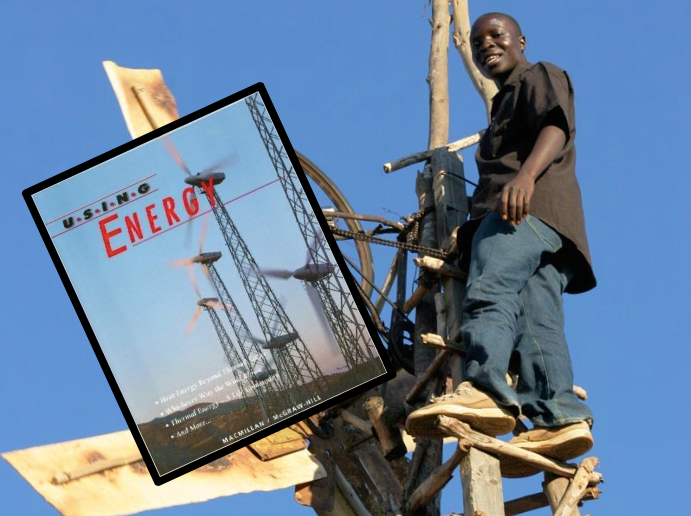
With access to a discarded McGraw-Hill fifth grade textbook, Using Energy, William Kamkwamba, learned how to build a windmill to power electrical appliances in his family's house in Masitala. Just think what our school children could do with unlimited information with access to not only devices but reliable high speed internet at home and at school.
Many students and teachers throughout our country lack access to basic internet services and devices at school or at home. In my school district there are locations where even if residents could afford to pay the staggering cost of internet services, these services simply do not exist. Future Ready districts not only provide broadband classroom connectivity and wireless access, but work with community partners to leverage local, state, and federal resources to support home Internet access outside of traditional school hours, so that learning can take place anytime anywhere.
Just think. A student is sitting at home watching , The Walking Dead, might wonder, “What is the decomposition rate of a zombie?” With access to a device and high speed internet the student can immediately research this question and in the process learn quite a bit about biology without stepping foot into a biology classroom. Perhaps this quest for knowledge about zombie decomposition sparks an interest that eventually leads to a career in virology and saves the world from a real zombie apocalypse. #itcouldhappen
With access to devices and reliable high speed internet the landscape of traditional school has no choice but to adapt and evolve. Students no longer need to solely rely on teachers and textbooks to dispense information, but will look to their teachers to be guides in understanding how to apply the information gleaned online. Thus, tech is and will continue to transform teaching, from planning and preparation to what student engagement looks like in a technology rich school.
How does a teacher in a #FutureReady school plan and prepare to teach students who have the lower levels of Bloom’s Taxonomy at their fingertips? First, ask yourself these questions:
Is using valuable instructional time to teach basic facts and rote memorization to then be regurgitated back out on a test a few weeks later the best use of instructional time? Does it really indicate mastery of a skill or good test taking skills?
In a #FutureReady classroom do all students need to learn at the same pace? Have students ever learned at the same pace?
Does a student need to physically occupy space in a desk to ‘attend” classes? Is the student physically occupying a desk but sleeping through most of class actually “attending” class?
Teachers with a #FutureReady mindset know the answer to these questions in a resounding, No. It also means a dramatic shift in the school landscape must occur. Along with a drastic change to the way coursework is delivered and student mastery evaluated also comes more time and opportunities for students to delve into using knowledge gained to create, evaluate and apply what they have learned.
My top three starter tips for #FutureReady teachers are:
Connect, Connect, Connect!
Learning Management Systems
ePortfolios
Connect, Connect, Connect! Don’t try making this change alone. With access to devices and reliable high speed internet EVERY teacher has access to ideas from thousands of brilliant, motivated, energized educators from around the world. Not only will connecting with educators around the globe provide you with an endless supply of ideas for your classroom, you will also make wonderful friendships that will support you through the growing pains that come with #FutureReady changes.
Don’t forget about students when it comes to getting connected. Providing students with an authentic audience renders the age old question "why do I have to do this?" mute. Learning suddenly has real world application and student engagement increases accordingly.
Learning Management Systems. In a #FutureReady school every student in your class will not begin working on Unit 3 at the same time. Learning Management Systems allow teachers to easily provide course materials to a full roster of students working within individualized learning paths. Trey Armistead, a Chemistry teacher at Van Meter School in Iowa, has been using Moodle for years to meet individualized learning goals. By doing this , Mr. Armistead has empowered his students work through the content at a pace that works best for them. Some students in his class have been able to show mastery and complete his semester long course in just three short weeks. These students have then been able to move forward and take more advanced classes either provided by the school or through accessing MOOCs online.
Do you feel this student has a deeper understanding of the course material than if it had been delivered and assessed in a traditional classroom setting?
As you can see from the example provide above, an ePortfolio goes beyond merely a collection of materials that documents student accomplishments. ePortfolios give students a voice to present their learning accomplishments as well as developing skills in self-assessment. ePortfolios make learning a personalized experience where, over time, connections are drawn between various learning experiences and critical thinking is enhanced.
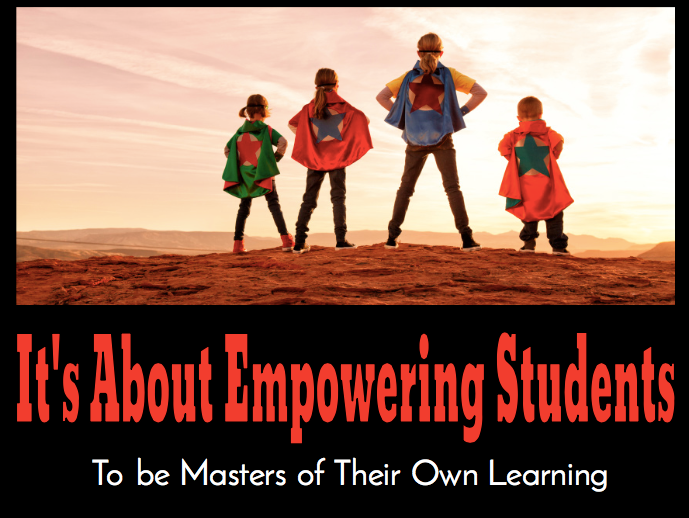
What I love most about ePortfolios is that they empower students to become masters of their own learning. A skill that will serve them well throughout life.
And that is really how technology will and is transforming teaching. Spoon feeding, rote memorization, mindless tasks, endless worksheets replaced by deep thinking, self motivated and self evaluated learning that empowers students to be lifelong learners is the ultimate goal and why your school superintendent needs to take the Future Ready District Pledge.