Showing posts with label #tlchat. Show all posts

Monday, October 9, 2023

School Library Social Media Posts Made Easy with AI

Image created in Canva using Magic Studio


I am the librarian at a 9th Grade Center. In my district, ninth grade is the first year that students do not have scheduled library classes. To keep the library and its resources at the forefront of students' minds, I post announcements every day to the Library Canvas course in which all students are enrolled. I also post these announcements to my school library's social media accounts. 

I very recently started using ChatGPT to help create appealing messages for the announcements and use these same messages for my social media posts. I have provided one week of my Canvas announcements + the associated social media posts below. I adjust what ChatGPT provides as needed as well as revamping to meet the character restrictions on X (formerly Twitter).

My weekly posts are as follows:
  • Monday: Have You Read...
    • On Mondays, I post book reviews and try to share a YouTube or TikTok video recap of the book.
    • Social Media Post: It's Have You Read Monday! πŸ“š Exciting Book Alert! πŸ“šAre you ready for a thrilling ride through the pages of "White Smoke" by Tiffany D. Jackson? 🌬️πŸ“– This gripping novel is a must-read that'll keep you on the edge of your seat!πŸ‘₯ About the book: "White Smoke" delves into the eerie and mysterious story of Marigold, who moves to a haunted house with her family, hoping for a fresh start. But strange things begin to happen, and the secrets of the house's past start to unravel. Can she uncover the truth before it's too late? 😱🏑🧑 Why you should read it: Mind-bending plot twists that'll leave you gasping! 😲 Relatable characters you can't help but root for! πŸ™Œ A spine-tingling blend of mystery and the supernatural! πŸ‘»πŸ•΅️‍♀️ So grab your copy and join us in the adventure of a lifetime! πŸ“š✨ Don't forget to share your thoughts and tag a friend who needs a good scare this fall. πŸπŸ‚ #WhiteSmoke #TiffanyDJackson #MustRead #HighSchoolReads #Bookworms #ThrillerNovel #Mystery #HauntedHouse #SpookyReads #PageTurner #YABooks #BookRecommendation #FallReadingList #TeenReads #SupernaturalThriller
    • Twitter: πŸ“š Dive into the spine-tingling world of "White Smoke" by Tiffany D. Jackson. Get ready for a heart-pounding adventure that'll keep you up all night! πŸ‘»πŸ“– Uncover the secrets of a haunted house, where every creaky floorboard and flickering light hides a chilling mystery. Can Marigold solve the puzzle before it's too late? 😱🏑
      • Why you'll love it:
        • ✨ Plot twists that will leave you speechless!
        • πŸ‘₯ Relatable characters you can't help but root for!
        • πŸ” A gripping mix of mystery and the supernatural!
      • Join the reading thrill! Grab your copy today and share your thoughts with us. Who's up for a ghostly adventure? πŸ‘€πŸ“š
      • #WhiteSmoke #TiffanyDJackson #YABooks #HighSchoolReads #Thriller #Mystery #HauntedHouse #MustRead #TeenReads #BookRecommendation #PageTurner #SpookyReads #Bookworms #SupernaturalThriller #ReadingList πŸ‚πŸ“š

  • Tuesday: Brain Teaser
    • On Tuesdays, I post a brain teaser. Some are riddles, others are Rebus puzzles. Students who respond with the correct answer to the brain teaser by the end of the week receive a sticker that matches the answer to the brain teaser. 
    • Riddle:


    • Sticker: Created using Canva and Cricut


    • Social Media Post: πŸŽƒπŸ•΅️‍♂️ It's Brain Teaser Tuesday at the NGC, and we've got a spooktacular Halloween riddle for you to unravel! πŸ§©πŸ‘» "I always leave a trace, so you can see where I've been. I have some extra legs, and I make people scream. What am I?" πŸ€” Can you crack this creepy conundrum? Comment your guess below! ⬇️πŸ‘‡ #BrainTeaserTuesday #HalloweenRiddle #PuzzleTime #ThinkHard #NGCChallenges #MindBender #BrainTeasers #PuzzleLovers #TuesdayThoughts #HalloweenFun #RiddleOfTheDay #TestYourBrain πŸ€―πŸ”

  • Wednesday: I FOUND IT ON THE INTERNET!
    • Wednesdays feature online sites or apps for students to explore. During October, one of the sites students are introduced to is Halloween Instructables.
    • Social Media Post: πŸŒπŸ” Dive into the digital world because it's "I FOUND IT ON THE INTERNET" Wednesday! 🌟🌐 Discover the incredible Instructables website, your one-stop-shop for spooky season inspiration! πŸŽƒπŸ•·️ From Instagram-worthy costumes πŸ‘»πŸ“Έ to terrifyingly delicious edibles πŸ¬πŸ‘Ή and ghostly decorations that would impress the Aldridge Mansion itself, Instructables has you covered! 🏰✨ Get ready to get your craft on and turn your Halloween dreams into reality. πŸ‘»πŸ’‘ Share your favorite Instructables finds in the comments below! πŸ“πŸ‘‡ #IFoundItOnTheInternet #DIYHalloween #SpookySeason #HalloweenCrafts #CostumeIdeas #CreepyCuisine #HauntedHouseDecor #Instructables #HalloweenInspo #CraftyVibes #WednesdayDiscoveries #DigitalMagic πŸ“šπŸŽ¨πŸ‚

  • Thursday: Did You Know...? 
    • On Thursdays, I share fun, silly, or interesting facts with students. One example I shared is about Scary Barbie! 
    • Social Media Post: 🌌🌟 Get ready for some cosmic curiosity because it's "Did You Know" Thursday! πŸ€“πŸš€ Have you heard about "Scary Barbie"? Yes, you read that right! πŸͺπŸ’₯ Astronomers have stumbled upon one of the longest, brightest, and most energetic cosmic phenomena ever observed, and they've playfully dubbed it "Scary Barbie" due to its terrifying power! πŸŒ πŸ‘½ What's the buzz? Scary Barbie is none other than a black hole, currently in the process of tearing apart a star! 😱✨ Dive into the captivating video below to learn more about this celestial sensation. #DidYouKnow #CosmicWonders #AstronomyNerd #ScaryBarbie #BlackHole #StellarPhenomenon #CosmicCuriosity #ThursdayThoughts #AstronomyFacts #SpaceExploration #AstroNerdsUnite #DidYouKnowFridays #OuterSpaceAdventures 🌌🌠πŸͺ

  • Friday: Weekly Win
    • On Fridays, the post asks students to share their Weekly Win via a Google Form! Students who share their Weekly Win receive a personal email from me congratulating them on their WIN!
    • Social Media Post: It's Fri-Yay! πŸ™Œ✨ Time to kick back, relax, and celebrate those epic weekly wins. πŸŽ‰πŸ™†‍♂️ What's your Friday victory? Share it with us! πŸ“£πŸ† #FriYay #TeenLife #WeeklyWins #FridayFeeling #VictoryMoments #TeenTriumphs #ShareYourSuccess #CelebrateTogether #TeenGoals #FriYayVibes #WeekendWarrior πŸŒˆπŸ‘πŸ€©


Using ChatGPT to write a social media post for a book:

  • Prompt: Write a brief social media post that would appeal to high school students for the book, How Moon Fuentez Fell in Love with the Universe by Raquel Vasquez Gilliland. Include relevant hashtags. Include relevant emojis.
  • Result: πŸ“š Calling all high school readers! πŸ“š Dive into the captivating world of "How Moon Fuentez Fell in Love with the Universe" by @RaquelVasquezGilliland! πŸŒŒπŸ’« Join Moon on her unforgettable journey of self-discovery, love, and the cosmos. πŸŒ™πŸ’– Explore the beauty of the universe through her eyes and experience a rollercoaster of emotions! 🎒😍 This book is a must-read for anyone who loves contemporary YA fiction with a touch of magic. Get your copy today and fall in love with the universe alongside Moon! πŸŒ πŸ“– #MoonFuentez #LoveTheUniverse #YAReads #BookRecommendation #HighSchoolReaders #BookwormsUnite
  • What I actually used: πŸ“š Dive into the captivating world of "How Moon Fuentez Fell in Love with the Universe" by @RaquelVasquezGilliland! πŸŒŒπŸ’« Join Moon on her unforgettable journey of self-discovery, love, and the cosmos. πŸŒ™πŸ’– Explore the beauty of the universe through her eyes and experience a rollercoaster of emotions! 🎒😍 This book is a must-read for anyone who loves contemporary YA fiction with a touch of magic. Get your copy today and fall in love with the universe alongside Moon! πŸŒ πŸ“– #MoonFuentez #LoveTheUniverse #YAReads #BookRecommendation #HighSchoolReaders #BookwormsUnite


*DISCLAIMER: I am NOT an expert in prompt writing. I am positive there are better ways to write prompts for creating social media posts. This is just what I am using until I learn better.

You can actually ask ChatGPT to write prompts for you. Here is an example:
  • Prompt: Create 5 prompts I can input into ChatGPT that will generate social media posts for How Moon Fuentez Fell in Love with the Universe by Raquel Vasquez Gilliland 
  • Results: 
    • Certainly! Here are five prompts you can use to generate social media posts for "How Moon Fuentez Fell in Love with the Universe" by Raquel Vasquez Gilliland:
      • Prompt 1: "Craft a tweet that captures the essence of 'How Moon Fuentez Fell in Love with the Universe' in 280 characters or less. #MoonFuentez #BookRecommendation
      • Prompt 2: "Write an Instagram post describing your favorite character from 'How Moon Fuentez Fell in Love with the Universe' and why they resonate with you. Include a quote that embodies their personality. #FavoriteCharacter #BookLove #MoonFuentez
      • Prompt 3: "Create a Facebook post inviting your friends to join a virtual book club discussion about 'How Moon Fuentez Fell in Love with the Universe.' Share your excitement and ask for book club name suggestions. πŸ“šπŸ’¬ #BookClub #MoonFuentez #VirtualReading"
      • Prompt 4: "Compose a TikTok video script where you give a dramatic reading of your favorite scene from 'How Moon Fuentez Fell in Love with the Universe.' Don't forget to use expressive gestures and music! 🎭🎢 #BookTikTok #MoonFuentezDrama"
      • Prompt 5: "Write a Pinterest caption for an inspiring quote from 'How Moon Fuentez Fell in Love with the Universe.' Pair it with an aesthetically pleasing image or artwork that represents the book's themes. #Inspiration #MoonFuentezQuotes #Pinterest" 


Using AI to help write your school library social media posts is just the tip of the iceberg. THIS article from August 2023 in the School Library Journal discusses ways school librarians can implement AI in their schools. 

For more prompt writing help, check out THIS TCEA article. 

Check out my school library's social media sites below:


Thursday, September 28, 2023

It's Time For Book Spine Scary Story Month!


*Disclaimer Information at the end of this post.

Each year around this time our ELA, ESL, Read 180, and Inclusion classes begin their unit on narrative writing. To introduce the basic tenets of narrative writing our ELA, ESL, Read 180, and Inclusion teachers sign up for a day to bring their classes to create Book Spine Scary Stories.

Book Spine Scary Stories are similar to Book Spine Poetry. Students find a few books, stack them on top of each other and the titles of the books read from top to bottom create the poem. To create a Book Spine Scary Story students need to find 4 to 8 books (all from different genres otherwise they will grab a handful of books from the same shelf πŸ™„) and stack them so they create a scary story when the titles are read from top to bottom. Their stories must meet the definition of a scary story:

A scary story is a narrative designed to evoke fear, suspense, and unease in the reader or listener through eerie, unsettling, or supernatural elements.

Included with meeting the definition of a scary story students also need to follow four other guidelines:

  1. Find at least 4 books but no more than 8 books. 
  2. Arrange the books from TOP to BOTTOM
  3. Get your teacher's approval before submitting your story
  4. Put books back on the TOP of the SAME COLOR shelf


Clarification of guidelines 3 and 4:

Guideline #3: Once students' stories have been approved, they take a picture of their Book Spine Scary Story with their Chromebooks (we are a 1:1 school) and upload it to the Canvas (our LMS) Google Slides assignment created by their teacher. They must also write their story when submitting their picture as the spine label often obscures some of the title. 

Example:


Guideline #4: Once students have taken a picture of their Book Spine Scary Story they put each book on the TOP of the shelf that matches the color on the spine label of the book. It should be noted that my library is genrefied and the books have been shelved by genre. This keeps students (mostly) from shoving books back on the shelves anywhere and makes it easy for me to quickly shelve most of the books during the 5 minutes between classes. 


*Side Note: It is absolutely exhausting shelving books for 8 days but the payoff from the learning taking place and the relationship building that happens with teachers and students is well worth it. 

Foremost, students should HAVE FUN, BE CREATIVE, and HELP EACH OTHER


The kids LOVE this activity! They start out thinking that the activity is super easy. "What could be easier than stacking a few books together"? Once they get started they realize they really need to think about the plot, setting, characters, and other narrative writing guidelines. The amount of interaction, engagement, and discussion between students is AMAZING! There are often audible exclamations when students finally have a story they have finished and are excited about showing their teacher and friends. 

This week I am preparing for the Book Spine Scary Story madness by removing all of the books from the tops of the shelves so that students have space to create and return the books they have pulled off of the shelves. This usually takes me about 2 days if I don't have too many interruptions. 

Here are a few pictures of the action from last school year (22-23):


Once all the students have submitted their stories, each teacher chooses the top two stories from the combined pool of all their classes. The teachers combine their Top 2 into a collaborative Google Slide and send it to me. Then I create a Google Form to send out to the entire student body, teachers, and staff so they can vote for their favorite story.  The top three winners receive a gift bag donated by the PTA filled with goodies, swag, and gift cards to popular fast food restaurants.

The fun this year (23-24) starts on Monday, October 2nd. Please let me know if you have any questions!


*DISCLAIMER:
  • I am a high school librarian at a 9th grade only school
  • I do not have scheduled classes
  • I do NOT have an aide
  • This is my 31st year in education


HERE is the voting form from last year (22-23). You are welcome to vote if you would like to πŸ˜€:  


Friday, July 28, 2023

Using Your District LMS to Reach Students and Teachers


I don't know about you, but I haven't had much success getting traction on the district's library webpage. Even in the best situations, it can be clunky, and many extra steps for your students and teachers to navigate.

Last year I decided to use the district's library webpage as a type of launching space to direct students and teachers to the Canvas course I built specifically for the library. I chose to use Canvas since this is where students and teachers go every day to access their coursework. The library Canvas course includes all of our library resources plus fun activities and announcements. The response last year was phenomenal!

This year I have added new information, resources, and reading programs to the library Canvas course.  To keep the library Canvas course front and center, I have created a daily schedule of Canvas library announcements to inform and encourage engagement.

Below is a video tour of the library Canvas course for students.


Tuesday, December 31, 2019

2020...A New Decade to Connect, Share, Learn, Grow Together!


Like many as we leave one year and move onto the next, the promise of new things to come is just around the corner. This year we don't just usher in a new year but a new decade making the reflection process common for this time of year especially poignant. 

In the last decade, I welcomed to the world three amazing grandchildren and four fur babies (I miss you Oliver kitty), met the love of my life and got married, made some of my best friends on social media and collaborated on some incredible projects, wrote a book, retired, turned fifty, relocated to a new state, served a year as the ISTE Librarians Network President, started a new career, became a Ph.D. student, and bought a house.

Being a school librarian is the very essence of who I have been but it is and has always been the technology part of being a school librarian that has sustained my interest and propelled me forward. This is why I fully support organizations like the Future Ready Librarians and the ISTE Librarians Network who understand the vital role school librarians wield when they work as and in unison with educational technology leaders. 

In 2019 my lifelong love of technology came to a crescendo with my new career as a leader in digital learning and the pursuit of a doctorate degree with an emphasis on educational technology. 

As 2020 dawns I dedicate this next decade to the integration of technology, learning, and school librarianship. 

Cheers to a new decade of opportunities to connect, share, learn and grow together!


Tuesday, May 14, 2019

Use Experiments with Google to Spark Discussions and More


Experiments with Google is an open-source platform for incredible coders and designers creating extraordinary projects on AR, VR, AI, Voice experiments, Arts & Culture, Android, Chrome experiments, and more.

Like with anything open sources and found on the Internet, all experiments will not be suited for the classroom. In this post I will highlight eight (8) of my favorite experiments and provide some ideas for learning activities using the notes experiments.


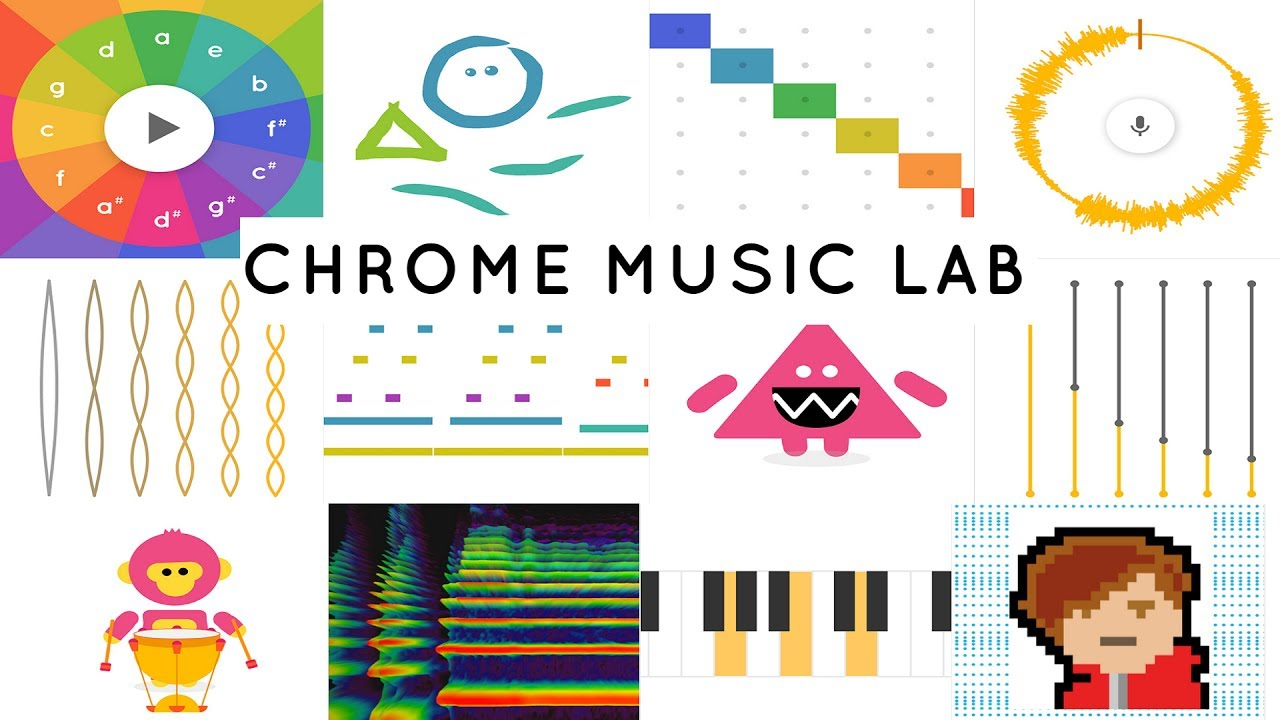
CHROME MUSIC LAB


"Many teachers have been using Chrome Music Lab as a tool in their classrooms to explore music and its connections to science, math, art, and more. They’ve been combining it with dance and live instruments."

Chrome Music Lab is comprised of 13 musical exploration activities. Let's take a look at some lesson suggestions.

Lesson Idea 1:
  • Students will explore all 13 of the activities in Chrome Music Lab.
  • Students will use FlipGrid to share their favorite Chrome Music Lab activity and include specifics as to what made their choice stand out as their favorite.
  • Respond to at least three other FlipGrid responses that are not the same as their favorite being sure to include specifics of what they enjoyed about the specified activity.

Lesson Idea 2:
Connect Chrome Music Lab to books. Below are two examples from Twitter.


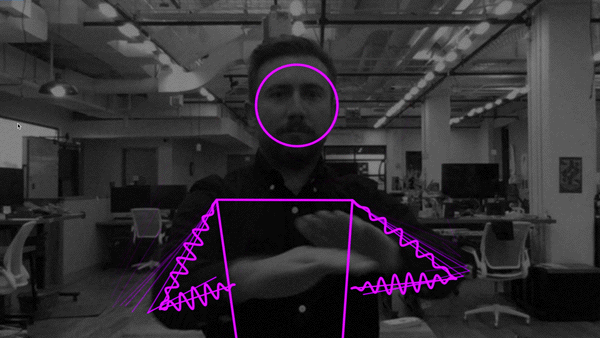
BODY SYNTH


Body Synth turns your body movements into sound. Each part of your body plays a different note or sound. You can adjust the sensitivity to make it work for big or small movements. You can also change chords and instruments using your voice by saying things like “C chord” and “guitar.”

Lesson Idea:
Artificial Intelligence (AI) makes it possible for machines to learn form experience, adjust to new inputs and perform human-like tasks.  Most AI examples that you hear about today - from chess-playing computers to self - driving cars - rely heavily on deep learning and natural language processing.  Using these technologies, computers can be trained to accomplish specific tasks by processing large amounts of data and recognizing patterns in the data. 

Directions:
Experiment with Body Synth an AI experiment then answer the following questions in the comment section (in Google Classroom).  Then respond to at least 3 classmates answers.

Question 1:
What inputs is Body Synth learning form your interaction with this AI experiment?

Question 2:
How could inputs learned through Body Synth be used in real world tasks?


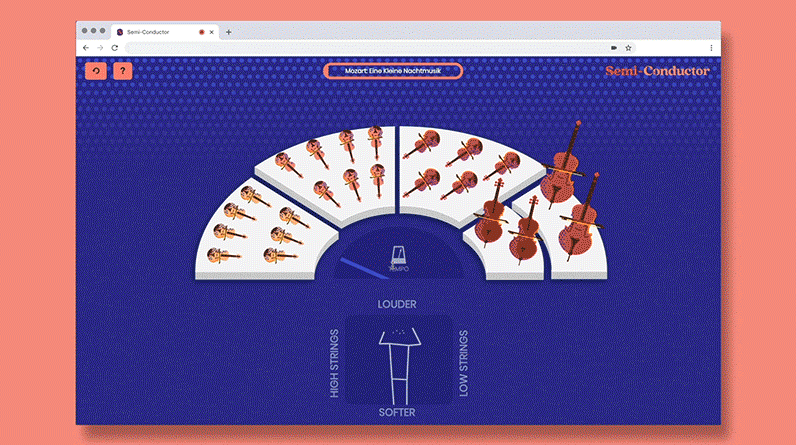
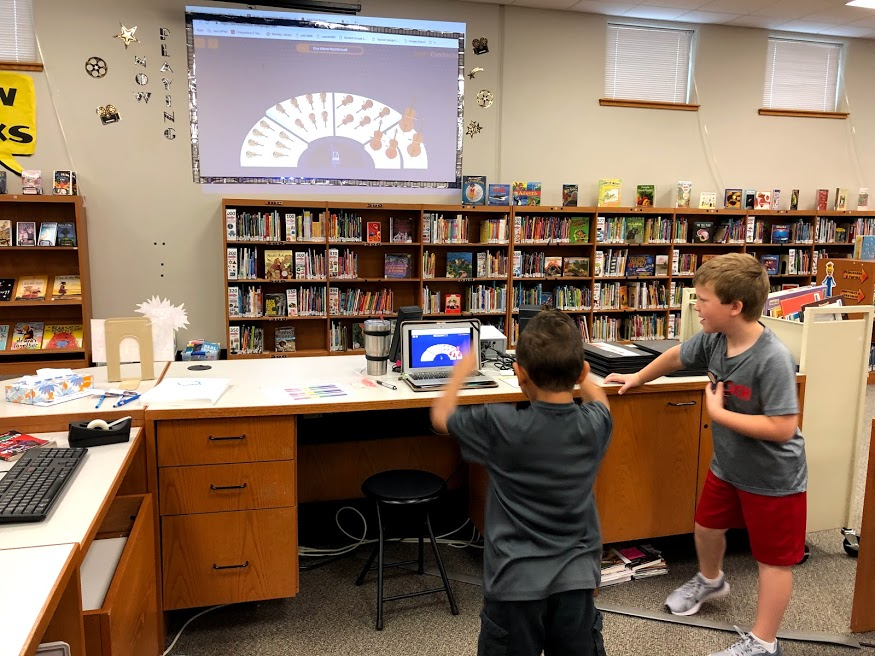
SEMI CONDUCTOR


Semi-Conductor is an experiment that lets you conduct your own orchestra through your browser. You can move your arms to change the tempo, volume, and instrumentation of a piece of music. An algorithm plays along to the score as you conduct, using hundreds of tiny audio files from live recorded instruments.

Lesson Idea:
Semi-conductor is an experiment that uses articulated body pose estimation to let you conduct your own orchestra through your browser.  You can move your arms to change the tempo, volume, and instrumentation of a piece of music.

Directions:
  • Research to find how articulated body pose estimations can be used for practical real life applications.
  • Share in the comments one application for articulated body pose estimation
  • Comment to at least three other classmates that have shared a different application than the one you shared.


TALK TO BOOKS


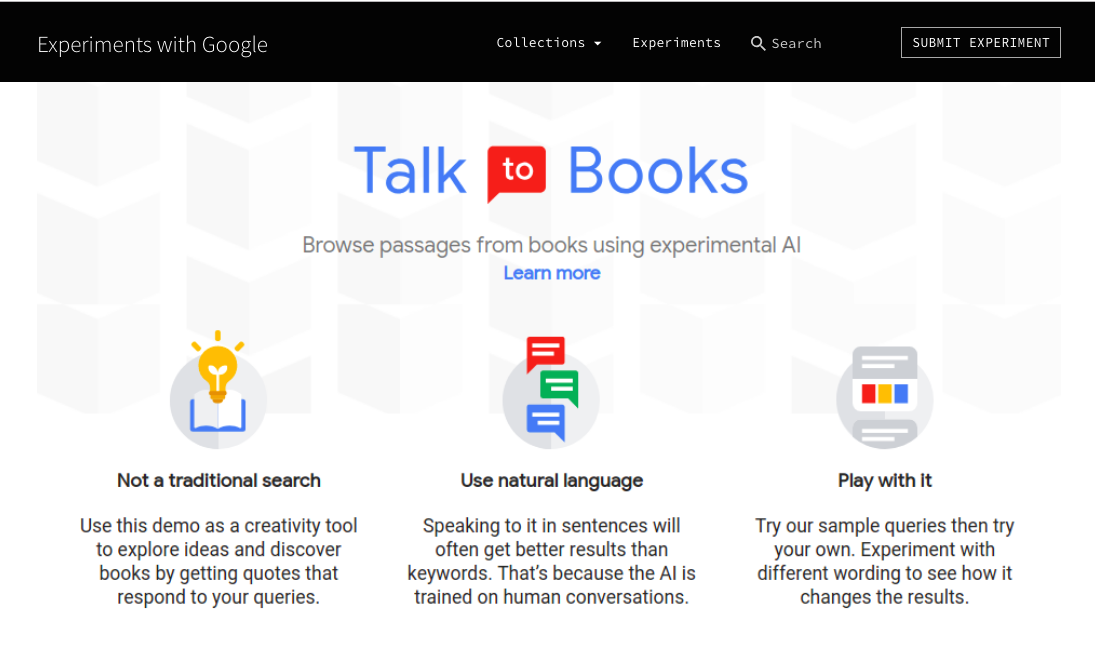
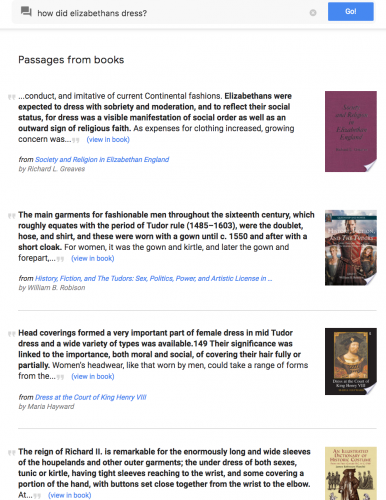
Talk to Books is an experimental new way to conduct a search. Ask questions or make statements and the Talk to Books AI searches a database of over 100,000 books for sentences which are conversational responses. 

Joyce Valenza said of Talk to Books, "Imagine if you had the power to ask authors across time and disciplines your most burning questions or for their best advice"


Lesson Idea:
  • Think of your favorite topic of study from this school year
  • Research that topic using Talk to Books
  • In the comments section share at least 5 new facts you gained from this search using Talk to Books
  • Read 3 classmates search results
  • Use Talk to Books to research their topic of choice
  • Add one new fact to each of the 3 classmates posts


SEMANTRIS


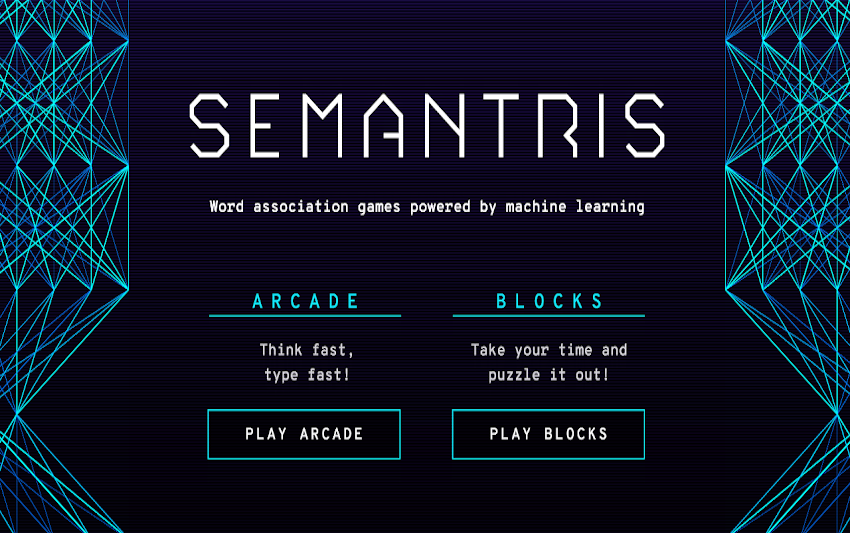
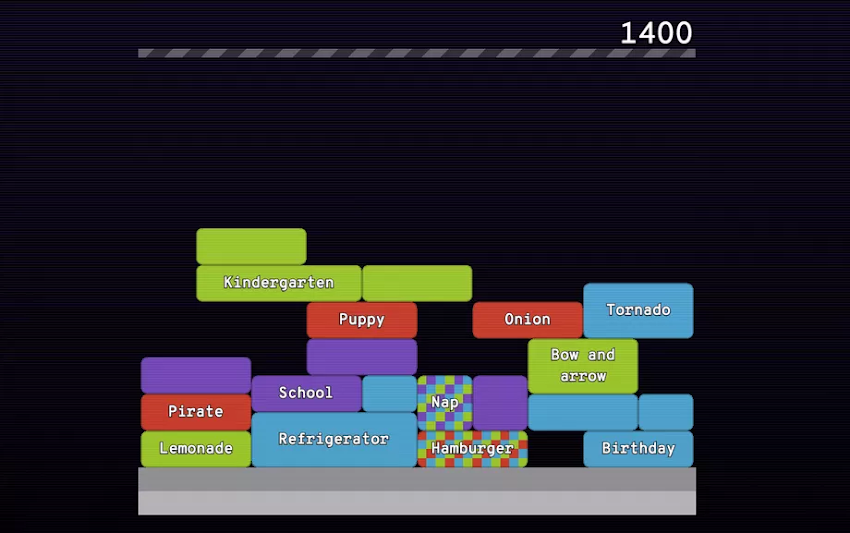
Semantris is a set of word association games powered by machine-learned, natural language understanding technology. Each time you enter a clue, the AI looks at all the words in play and chooses the ones it thinks are most related. Because the AI was trained on billions of examples of conversational text that span a large variety of topics, it’s able to make many types of associations.


Lesson Idea:
  • Go to the Semantris website
  • Play both the Arcade and Block style games
  • Create a My Semantris Game database using Google Sheets
  • Post the link to your Semantris Game database in the comments section (in Google Classroom)
  • Post the link to your Semantris Game database. Make sure your Google Sheet allows editing
  • Look at 3 other classmates Semantris Game database. Add at least 5 new words under each column


MYSTERY ANIMAL


Mystery Animal is a new spin on the classic 20-questions game. The computer pretends to be an animal, and you have to guess what it is using your voice. Ask any yes-or-no question you want, like "Do you have feathers?" or "Do you sleep at night?" Play it on a Google Home or online.

Lesson Idea 1:
Use Mystery Animal as a morning bell ringer activity. 


Lesson Idea 2:
Use Mystery Animal when students are learning about animal attributes.


Lesson Idea 3:
Use Mystery Animal to prepare for or follow up an animal related field trip.


Lesson Idea 4:
  • Play Mystery Animal
  • Research the animal revealed when you played Mystery Animal
  • Use a Google Form to create your own 20 questions game (yes/no answers only) about an animal of your choice.
  • Place the link to your Mystery Animal Google Form in the comments section (in Google Classroom)
  • Pick 3 classmates 20 Questions Game Google Form.
  • Research their questions and guess their animal in 20 questions or less


NOTABLE WOMEN


Background Information:

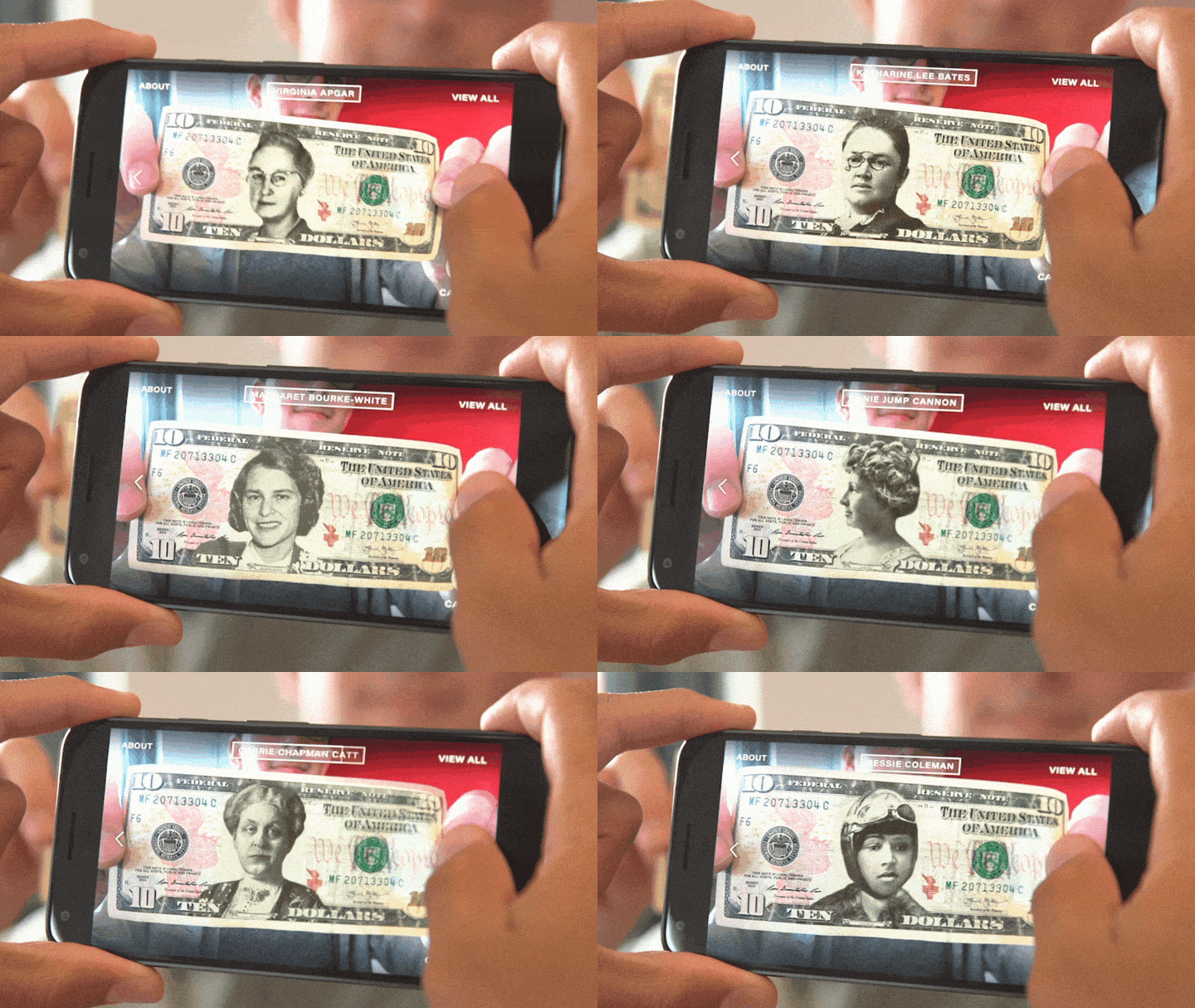
Rosie Gumataotao Rios, 43rd Treasurer of the United States, and leader of the effort to put a woman on US Currency for the first time in over a century helped to bring to life the Google Experiment, Notable Women. 

Google invited Rosie to speak about her journey as Treasurer of the United States and her efforts to place the portrait of a woman on our currency for the first time in over a century.

It was during that presentation that Rosie met a group of Google women who were excited about her ongoing mission to celebrate historic American women - and the role technology could play to bring it to life. They were inspired by two simple thoughts: “What if we didn’t have to wait to see women on U.S. currency?” And, “What if anyone could learn about women who made U.S. history in a place where they’ve historically been left out?”

The website and the accompanying app are the result of this serendipitous collaboration.  Notable Women is designed with teachers and their students in mind.

Notable Women features 100 historic women selected from the Teachers Righting History database, a collection of women whom the American people recommended to appear on actual U.S. currency during Rosie's time at the U.S. Department of Treasury.


Lesson Idea:
  • Choose a woman to investigate that is featured on the Notable Women app/website
  • Using at least two sources (Notable Women app/website must on one of your sources)
  • Research how that woman has influenced history
  • After analyzing tow or more resources, use Google Docs, Slides, or Drawings to make an infographic to present how that woman has influenced history
  • Post the link to your infographic in the comments section (in Google Classroom)
  • Review 3 classmates infographics and comment about something new you learned about the woman they researched


MORSE CODE FOR GBOARD


Developer Tania Finlayson found her voice through Morse code. Now she's partnering with Google to bring Morse code to Gboard, so others can try it for accessible communication. Morse code for Gboard includes settings that allow users to customize the keyboard to their unique usage needs.

Some learning applications that have been created to be used in schools using the Morse Code for GBoard include:
  • Alphabets Got Talent
  • Morse Striker
  • Hello, Emmett


You can start learning Morse code with Google experiment, Morse Typing Trainer. 


Lesson Idea:
  • Watch Tania's Story: Morse code meets machine learning
  • Challenge yourself to learn Morse code with the Morse Typing Trainer
  • Brainstorm a learning game that would use the Morse Code GBoard to teach a skill to elementary aged students
  • Share your idea for a learning game in the comments section
  • Read 3 of your classmates learning game ideas and provide feedback


THINGS TO KEEP IN MIND

  • Check the Experiments with Google site often.  There are always new experiments being posted.

  • Challenge your students who are ready to go further with coding to create through the Experiments with Google site and its open source coding resource, GitHub Education.

  • Have fun with it and don't be afraid to explore the unknown! Exposing students to the possibilities coding holds beyond video games is mind opening. 


Monday, May 13, 2019

Reading Center: Library Centers Deep Dive Part 5/10


When incorporating centers into the school library the simple joy of relaxing and reading can be overlooked for the fancier, more glamorous center choices.

I like using the Reading Center to bridge the gap many see between technology and books. One favorite activity of mine and the students was having them read (or listen to) the book, “The Man Who Walked Between the Towers”. Once students finished reading the book, they were then able to use the virtual reality app, The Walk, to assume the role of Philippe Petit as he walked between the towers. The fun wrap up to this lesson is to show the kids the trailer to the movie made about Philippe Petit and his infamous walk.


Another big purpose behind the Reading Center is to introduce students to our ebook services. Working with a small group of 3 to 4 students to set up their ebook accounts and get them started enjoying the book selections is, for me, so much more manageable that a whole group lesson.

Finally, give students time to choose their own reading activity. Whether it is reading books, magazines, ebooks, etc., this center can help build a love of reading for pleasure.


Original post that started it all:
http://www.nikkidrobertson.com/2018/08/new-school-year-new-ideas-new-centers.html
Links no longer work as my former district set up their Google admin rules to permanently delete rather than transfer former employee accounts.

Library Deep Dive Part 1 of 10:
http://www.nikkidrobertson.com/2019/02/the-beginning-library-centers-deep-dive.html

Library Deep Dive Part 2 of 10:
http://www.nikkidrobertson.com/2019/03/demystifying-circulation-desk.html

Library Deep Dive Part 3 of 10:
http://www.nikkidrobertson.com/2019/03/coding-is-basic-literacy-library.html

Library Deep Dive Part 4 of 10:
http://www.nikkidrobertson.com/2019/05/technology-library-centers-deep-dive.html

Library Deep Dive Part 5 of 10:
http://www.nikkidrobertson.com/2019/05/reading-center-library-centers-deep.html

Library Deep Dive Part 6 of 10:
Coming Soon

Library Deep Dive Part 7 of 10:
Coming Soon

Library Deep Dive Part 8 of 10:
Coming Soon

Library Deep Dive Part 9 of 10:
Coming Soon

Library Deep Dive Part 10 of 10:
Coming Soon