Student Voice & Choice
Ms. Anita Bates 4th grade students have been studying food chains in Science and first person narratives in Language Arts. Friday, Ms. Bates let her students choose what technology source they would use to write a first person narrative story about the food chain. Students could choose from StoryBird, Google Presentations, or iMovie to create their stories. These are all technologies they have learned since getting their MacBooks in September as part of Limestone County School's Digital Passport Initiative.
Student dove into writing their stories and for about 30 minutes you could have heard a pin drop and they were so focused on their task. After the first 30 minutes, Ms. Bates and Ms. Robertson had students peer review the story of the friend sitting to the right of them. Students took about ten minutes to review their neighbors story and write constructive comments. Next, students spoke with each other about the comments that were written. Lastly, students went back to their own stories and began implementing the comments suggested.
This story writing activity will continue throughout the next several weeks as students learn the revision process in writing. Upon its conclusion, student's stories will be published on Limestone County School District's DPI website and will be available for other students around the world to read.

Doin' It For Themselves
One of the ultimate goals for the Digital Passport Initiative (DPI) and the Instructional Technology Facilitators (ITFs) in each school are to get teachers and students comfortable with using and exploring the Internet with their MacBook Airs even when we are not in the classroom with them.
The teachers at Elkmont High School, even those not yet a part of the Digital Passport Initiative, are enthusiastic about integrating these devices into their classrooms as a natural part of the curriculum.
Judson Meadows, Middle Grades Social Studies teacher & basketball coach at Elkmont High School, has embraced BYOD in his classroom. This week he created a formative assessment quiz that grades itself using Google Forms and Flubaroo. Voila...simple, easy, success!
Tina McMunn, 3rd grade DPI teacher, discovered Soft Schools, a website filled with a dizzying array of games, quizzes, worksheet and more for grades Kindergarten through Middle Grades. Ms. McMunn also search the Internet and found great supporting videos and lesson ideas for their unit on Poetry via LearnZillion. Her kids used LearnZillion to read and analyze the poems "The Fog" by Carl Sandburg and Who Has Seen the Wind? By Christina Rossetti.
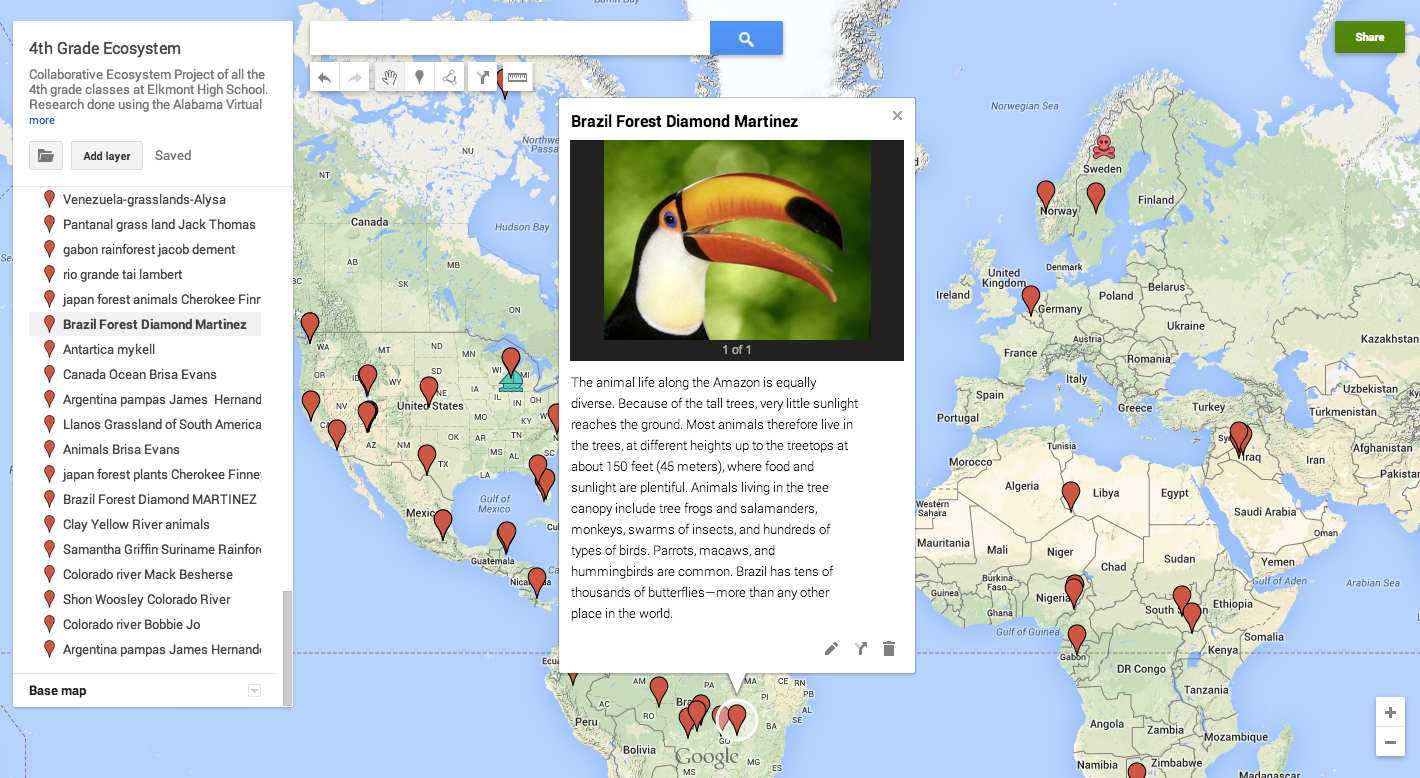
Anita Bates, 4th grade DPI teacher, started her unit on the American Revolutionary War by challenging her students to create a Google Presentation based on their own research using the Alabama Virtual Library and other research sources like Kid Rex. Without the Instructional Technology Facilitator in the classroom, the kids had no problem jumping right into the project, as they had learned these skills earlier in the school year.
Atina English, 3rd grade DPI teacher, has tackled using Google Classroom head on with her students. Ms. English is doing an incredible job mastering this new technology and her students see using their MacBook Airs and Google Classroom as a natural part of their everyday classroom experience.
Luann Adams, 4th grade DPI teachers, has incorporated the MacBooks and Google into her daily morning bell ringer to get students started for the day. Ms. Adams has also worked hard to get her students organized with Google Drive folders and using the calendar to keep track of important dates.
Peer Teaching
Each Thursday the Instructional Technology Facilitator, Ms. Nikki D Robertson, meets with our 3rd grade DPI teachers to answer any burning questions and to plan out a strategy for the following week with using the MacBook Airs. This week our session turned into a brilliant, impromptu sharing session. Ms. Atina English showed the other 3rd grade DPI teachers how she was creating Google Drive folders and organizing materials so that she would have the files easily accessible and ready to go for her classes next year. Ms. Tina McMunn showed the other 3rd grade DPI teachers how to sign their students up to use the website, LearnZillion, and how lessons could be accessed with a simple quick code. By the end of the meeting all of the 3rd grade teachers had folders in place and students entered into the LearnZillion website and ready to start working on their Poetry unit.

Cool Tech Source For ELL Teachers & Students
Michelle Davis is Elkmont High School's energetic ELL teacher. She is so awesome with the kids and is always looking for resources that will help her students with becoming acclimated to life in Elkmont, AL. On Veteran's Day Ms. Robertson, Elkmont's Instructional Technology Facilitator, discovered Unite for Literacy. Unite for Literacy provides a wide variety of free ebooks/audio books that have been translated into a wide variety of language because their mission is to eliminate illiteracy at a community, state, national and global scale. Ms. Robertson thought of Ms. Davis and her students immediately and shared this resource with her. Since then Ms. Davis has been using Unite for Literacy and has shared it with the rest of the ELL teachers in the Limestone County School District. She says her students love the site & look forward to using it.

Food Chains Using Google Draw
Each year Ms. Adams 4th grade students draw pictures of a food chain during their Food Chain Unit. This year, however, Ms. Adams thought it would be cool to use Google Drawing to create the food chain. The kids jumped right onto Google Drawing and created great food chain illustrations. Ms. Adams printed these out and hung them up for everyone to see.

Fifth Grade Interdisciplinary Project Based Learning Unit Wraps Up
Small Town Livin' a Project Based Learning unit that has been in progress since the beginning of the school year came to a wonderful conclusion this week as students presented their work to parents, teachers, central office personnel and community members.
The idea for a Project Based Learning unit was devised last school year and was solidified by Elkmont High School's amazing 5th grade teachers, Ms. Bailey, Ms. Holt & Ms. Hardiman, at a three day professional development training about Project Based Learning in Talladega, AL.
The PBL Summary read as follows: The students will research and propose an idea for an empty lot in Elkmont, AL downtown area. Students will work together to decide what might be the best addition to our new businesses and downtown atmosphere.
Students began the year with a field trip to downtown Elkmont to look at the businesses, building, geographic features, forms of advertising, etc. in preparation for their project. A tremendous amount of math went into this project as students had to account for the physical size of their businesses, which required them to have a working knowledge of area and perimiter.
Teamwork, collaboration, and compromise was the response from each group when ask what they learned the most about from having worked on this project.
The project included a wide variety of school staff including the Instructional Technology Facilitator, Librarians, Art Teacher and more.
Elkmont High School is proud of the effort our 5th grade unit has put into this project. The results have been phenomenal and a wonderful learning and growth opportunity for our students.

This group designed and made their own T-shirts to go with their proposed business!
Hour of Code is Coming to Elkmont
Computers are everywhere, but fewer schools teach computer science than 10 years ago. Girls and minorities are severely underrepresented. Good news is, we’re on our way to change this.
In one week last year, 15 million students tried computer science! Computer science was on homepages of Google, MSN, Yahoo! and Disney. President Obama, Shakira and Ashton Kutcher all kicked off the Hour of Code with videos. Over 100 partners came together to support this movement.
Now the Hour of Code movement is aiming for 100 million students.
That’s why every one of the 3rd and 4th grade DPI (Digital Passport Initiative) students at Elkmont High School are joining in on the largest learning event in history: The Hour of Code, during Dec. 8-12. BYOD students in grades 5-12 are encouraged to participate as well.