Showing posts with label Personal Shopper. Show all posts

Tuesday, January 10, 2017

Escape The JCHS Library: A Library Orientation Tale

A Library Orientation Tale


Over Winter Break we rearranged the JCHS Library. I mean....really rearranged the library.  The only things that were not moved are literally bolted to the floor or walls.  Thus, when we were getting ready for the second semester 9th Grade Library Orientation I realized the entire lesson plan had to be scrapped as well.

Inspired by Breakout EDU games created by librarians, Melanie Thompson (Locked In the Library), Amy Williams (Breakout From Mr. Lemoncello's Library),  Amy Woods (The Discoveries of @2LibraryGals), Joseph Jeffery (Library Treasure), and Mia Beesley (Library Interview Breakout), I spend this past weekend revamping the library orientation lesson plan to model a Breakout EDU challenge!  It's not the best and could definitely use some tweaking but it was still a tremendous amount of fun!

My main goal for the Library Orientation activity was to make sure students knew about some of the unique features the JCHS Library has available for students.  Because we only had a little over an hour to introduce the game, complete the tasks to earn clue cards, and unlock the locks, I limited the game to just four tasks.

We began the orientation in the Harvard Room where Ms. Laura Smith introduced students to the ebooks and audiobooks we have available through the JCHS Library.  Then I reviewed the rules of the game (see slideshow HERE).  Teams then transitioned into the library with their direction sheets and the real fun began!

My awesome Student Library Aides helped with the game by overseeing the Green Screen Room and the MakerSpace.  The classroom teacher was put in charge of approving the Book Spine Poetry.  My wonderful library aide, Holly O'Neal headed assisted students tackling the Personal Shopper task.

Once all teams had collected their four clue cards we meet back in the Harvard Room.  Once back in the Harvard Room students were regrouped into four groups that represented the four tasks completed.  Clue cards earned by all teams had to be put together to find the lock combinations. Once the new teams thought they had a lock combination they came to the Breakout EDU box and tried their luck.  When all four locks were removed I had a Post It note inside the box saying CONGRATS! LOL!  Students were NOT happy when they saw the note after all their hard work.  Luckily I pulled out a box of Tootsie Pops from my hiding place just at that moment.

The best part of the day was when a student said, "I was having a really bad day today until I came in here. Now my day is awesome!"

Our next big task is taking the Personal Shopper responses and matching each student to 3-5 books that best suit them based on their Personal Shopper answers.

Below are some images of the directions students received.  I have also included my Google Slide Show and link to my Google Photo album from the day.  The lesson plan can be found HERE.  Clue cards and student instructions can be found HERE (Clue Cards were printed on bright colored paper for easy regrouping at the end).


Click image below or HERE to access Google Photo Album


Sunday, August 21, 2016

This Week in the JCHS Library: August 15-19, 2016


9th Grade Orientation...continues!


One of my favorite things about the beginning of the school year is getting to meet, interact, and get to know our incoming 9th graders.  

Years ago I created a scavenger hunt activity so that students could learn about the library through active engagement with the parts of the library they would most likely use throughout the school year.

This year I updated the scavenger hunt by creating it on Google Classroom.  The reason for doing this this two fold.  First, our school district just went GAFE (Google Apps for Education) last year and is pushing even more for our teachers to use Google Classroom this year.  Thus, I like to do lessons like our 9th grade orientation as a way to model use of Google Classroom for those teachers that might not yet be familiar with all that Google Classroom can do.  Second, I like to know that students know how to sign into their GAFE accounts, how to access their Google Classes, and how to open, respond and submit assignments within the Google Classroom environment.

In addition to learning how to use Google Classroom students also learn how to use our electronic book search (Atriuum), how to print from the library, discover our genrified library collection through the building of Book Spine Poems, explore & discover our MakerSpace, and so much more!


Embedded PD


Assisting teachers in learning and embracing the new technology our school district is now using is so much FUN!  Yes, PD can and should be fun.  What makes it so fun for me is that I get time to know the teachers, learn about their curricular needs, and find the best technology tools to support the curriculum as well as students. 

This week I worked with teachers on the best ways to get students blogging, showed the awesomeness of Power My Learning to Special Education, and helped empower teachers to begin using Google Classroom.


Reading Promotions: 


Our Personal Shopper program  has really caught on after Ms. Friedlein's classes participated.  Every day we have new Personal Shopper orders coming in.  Ms. Johnson and I love the challenge of finding just the right books for students to enjoy.


Story Time:


Each week the Special Education Self Contained classes come to the library for story time and for time to explore, discover, create, and tinker in the JCHS Library MakerSpace.  Thanks to Mandy at the Huntsville-Madison Public Library we found a great book about manners to read, Do Unto Otters. After reading the story we made special Thank You notes for people we hadn't taken the time out to stop and thank for all they do.  One student made a thank you note for me for reading books to them each week! YAY!


JCHS Library MakerSpace:


This week we continued to make adjustments to the JCHS Library MakerSpace.  This year we have certain days dedicated to certain activities.  This allows time for deeper exploration of that particular area.

I was really excited to unveil the Google CS First passport program on Computer Science Day this week!  We are signed up for Storytelling, Music & Sound, and Fashion Design passport programs.  
Fashion Design was the big hit this week!


Interactive Library Displays:


Prompted by a Facebook post from Shannon Humphrey our first interactive display in the JCHS Library is: What Is Your HOPE?


Weekly Tech Tips Newsletter:


Each week the JCHS Library sends out timely tech news via the JCHS Library Tech Tips of the Week Newsletter made using S'more.

Check out this week's issue below:


Follow all of our adventures on social media!


Watch our August 2016 Flickr Album GROW!

(New pictures added daily!)

JCHS LIBRARY AUGUST 2016

Sunday, August 14, 2016

This Week in the JCHS Library: August 8-12, 2016

Library Orientation Scavenger Hunt WINNERS!


9th Grade Library Orientation:


This week our new Jets (9th graders) had the opportunity to get familiar with the JCHS Library and all that it has to offer.  Using Google Classroom, students explored various aspects of the JCHS Library.  One activity had students create original memes about our library "rules" (I hate rules so there aren't many).  Another activity had students explore the various genre sections in the JCHS Library and build Book Spine Poems. Another activity had students explore the MakerSpace.  In all, students came away from the experience knowing how to use Google Classroom to access assignment and turn assignments in and learned about all the cool stuff the JCHS Library has to offer.


Googling with Spanish 1 & 3:


I made a return visit to Ms. Crouch's Spanish 1 & 3 classes this week to check on their progress with building their Digital Portfolios.  This week we added a blog component to their Digital Portfolios and began writing our first blog post.  Additionally, we explored various aspects of Google Drive and Google Mail so that students would feel comfortable working within the MCS GAFE environment.


Googling with Health Science:


Ms. Collins & Ms. Jemison's classes came the the JCHS Library's Harvard Room this week to get a "tour" of our MCS GAFE tools.  We started with accessing Google classroom, moved on the learning about the Google app menu (I call it a waffle),  explored Google Docs, Sheets, and Slides.  We played around with Voice Typing and explored research helpers including the Research tool, EasyBib add on, and the MLA Report template. We also explore Google Mail and learned how to set up a signature for our gmail account.


Story Time with Ms. Humphrey, Ms. Jefferson, and Mr. Watters' Classes:


Last week when Ms. Humphrey, Ms. Jefferson, and Mr. Watters' classes came to visit each student wrote about their favorite thing and then drew a picture of that thing.  I took their work and created an ebook using FlipSnackEDU.


This week we focused on similes!  We started by watching a video about similes and metaphors.


Then we read, My Best Friend is as Sharp as a Pencil And Other Funny Classroom Portraits
by Hanoch Piven.  We followed this up by making simile self portraits!


Personal Shopping with Ms. Friedlein's Class:


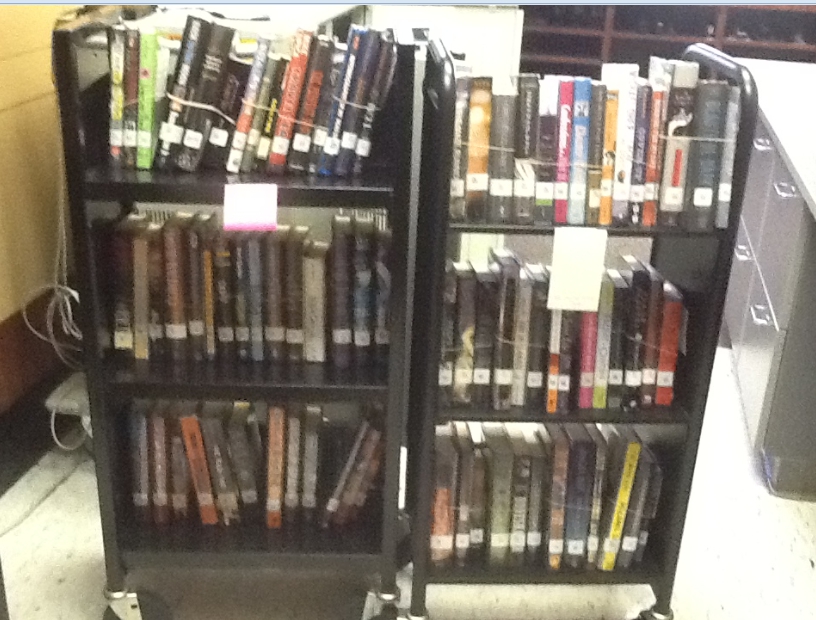
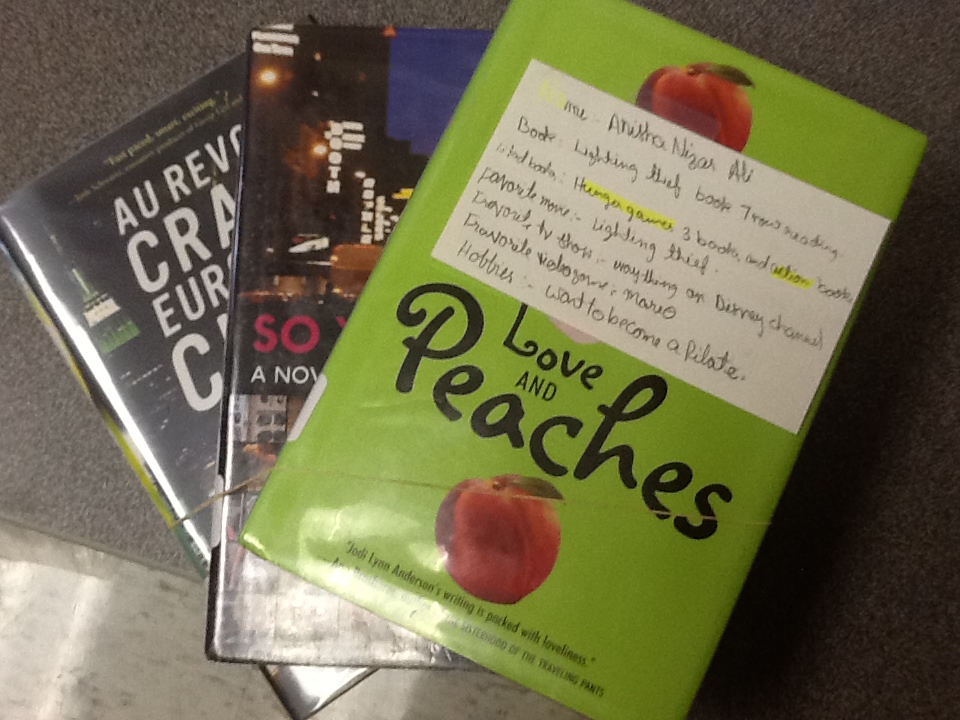
Personal Shopping is one of my most favorite things to do in the JCHS Library.  Ms. Friedlein had her students fill out our Personal Shopper Google Form.  This enabled Ms. Kimberly Johnson and I to know a little bit about each student; their likes, dislikes, hobbies, and other interests.  Using this information we "matched" each student with five books.  We wrapped the books with ribbon and attached a personalized name tag.

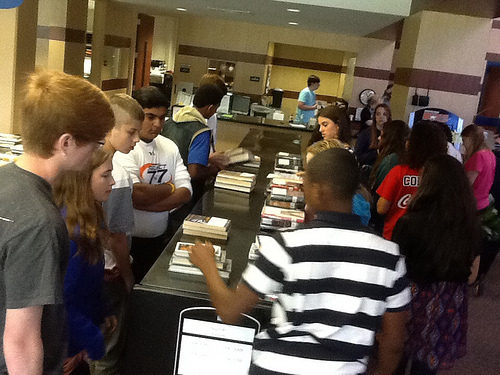
When Ms. Friedlein brought her students into the library we presented each student with their personalized packet of books.  They were asked to look through the books to see if there were any books that peaked their interest.  If we made a "match" students checked those books out and left the others behind for someone else to explore.  If we failed to make a match we worked one on one with the student to find that perfect match.  By the end of our time together every student had at least one book that was perfect for them!

The BONUS from doing this activity with Ms. Friedlein's students is that other students noticed and we know have an ever growing list of students wanting Personal Shopping as well!


MakerSpace Cha Cha Changes Continue:


The JCHS Library premiered its MakerSpace last school year.  This year, based on observations from last year, big changes were put in place (full detail blog post coming soon). This week in the MakerSpace included:
  • Monday: Arts & Crafts
  • Tuesday: Learn How to Build Your Own SnapChat GeoFilter
  • Wednesday: Build & Tinker
  • Thursday: Game Day (BINGO)
  • Friday: Explore, Discover, SIGN UP
The JCHS Library MakerSpace Graffiti window is also starting to look happy and colorful again!


JCHS Library Tech Tips of the Week:


Follow all of our adventures on social media!


Watch our August 2016 Flickr Album GROW!

(New pictures added daily!)


Friday, October 25, 2013

Personal Shopping from The Library@HHS

School libraries are a hub of activity, offering an endless variety of services.  At The Library@HHS we like to refer to the library as the “One Stop Shop”.  If we can’t meet your needs we can always connect you with someone who can.

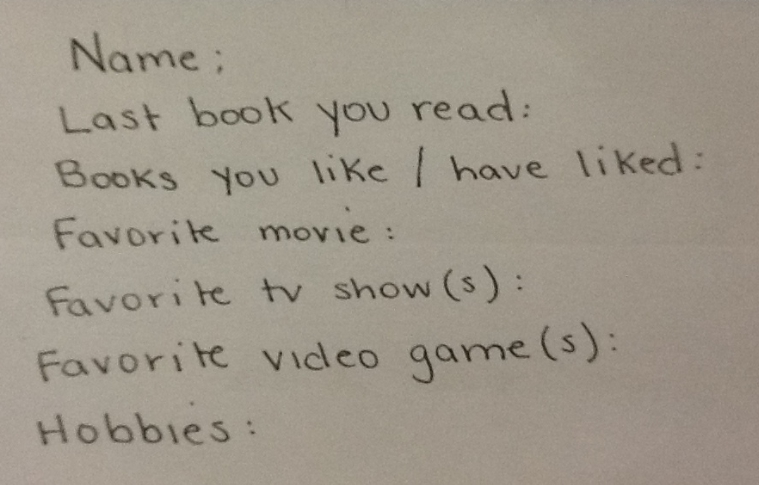
One service that gives us a great deal of joy is Personal Shopping for students.  Personal shoppers help others shop by giving advice and making suggestions to customers usually found in department stores or specialty boutiques. We have taken the Personal Shopper concept and revamped it for the school library.  Typically when we take on the role of a personal shopper it is at the request of a teacher for the students in their classes.  The students are asked to write down the following:
  • Last book read
  • Favorite book(s)
  • Favorite TV Show
  • Favorite movie
  • Hobbies
  • Anything else you think will help us match you to your perfect book


Occasionally the teacher will write the student’s lexile level on the back of the Personal Shopping Card and ask us to find book matches within the indicated reading level.  Matching students to their perfect book is a meticulous process.  On average, for a class of 25 students, it can take 2 to 3 days to find at least three book matches for each student.  

Here is a basic breakdown of the Personal Shopping process.  The teacher collects the personal shopping detail cards from their students and gives them to the librarians.   We take one card at a time, review the information provided and then begin searching our Destiny library management system and our OverDrive account for books that best match each student's interests. This is just the beginning of the Personal Shopping process.  Because we want to provide students with quality books, we spend a great deal of time reading book reviews, checking book award lists, and checking sites like Goodreads and Shelfari for ratings. Students at Hoover High School  have a voracious appetite for books which throws a kink in our personal shopping process as it is often a challenge to actually find the books we have chosen on the shelves available for check out, virtually or physically.  This is a good yet challenging “problem” when serving as a personal shopper.


Once all students have been matched to at least three book choices we schedule the class to come to the library for the big “unveiling” of the books.  


We briefly explain the Personal Shopping process to the students as well as letting the students know that if we haven’t made a successful match we will work with them individually to find the perfect book.  Students are given their book match stack and advised to find a comfortable place to review each of their books.  If they like a book or books in their stack they can check those books out and begin reading.  Any books students did not choose to take with them are put in a central location for others to peruse.  


It is always fun watching students get excited about the books we have chosen for them.  One girl exclaimed, “All of these books are perfect for me!”  

There are always one or two students in each class who we strike out with.  We work with these students one on one and delve deeper into their particular interests.  We are proud to say we have a 100% success rate matching books to readers.  Students often come back just a few days after a personal shopping experience to tell us how much they loved the book and asking us to match them up with another great book.

Tuesday, October 15, 2013

This Week in The Library@HHS October 7th - 11th


The week of October 7th through 11th, 2013 was a busy one in The Library@HHS but the highlight of the week was our Personal Shopping for Ms. Tew's classes.  Last week Ms. Tew, wanting to increase her students reading, asked us to find books that suited the individual interests of her students. Ms. Tew had students fill out index cards detailing the last book they read, their favorite book, TV Show, movies and hobbies.  Based on this information Ms. Crystal Camp and I matched each student to three books we thought best matched their interests.


Ms. Tew's classes came to the library on Thursday to see what we had picked out for them.  Crystal and I were on pins and needle waiting to see if the students would like our choices.  

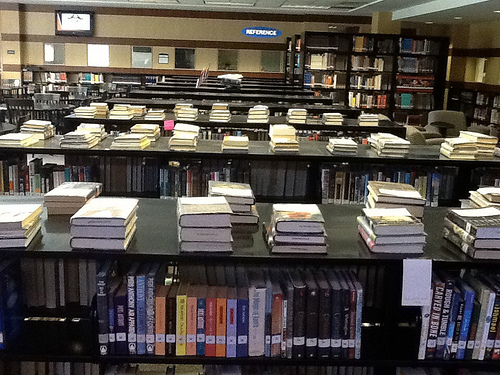
We set the books up on top of the bookshelves, explained to students how we made our book choices.  We then set the students loose to find their personalized book stack.


We were thrilled when one student exclaimed, "All three of these books are perfect for me!"  Several students came to Ms. Camp and I to personally thanks us for finding such great books for them.  Students could check out 1, 2 or all 3 of the books we chose for them or if we didn't do a good job matching them to a book they could work with us individually to find the perfect match. 


Students ended their visit to the library by finding a cozy place to read their new found book.


We were delighted when students wrote us Thank You cards but we knew the activity was a true success when they came back to the library telling us about their books and wanting to check out more books because they had spent the entire weekend reading the book we picked out for them.  


With October in full swing it was time to set up a new book display.  I came across a great idea on Pinterest and here is what I came up with:


We have already had quite a few brave souls check out our mystery books!


Other activities included one on one training with Ms. Glass on how to use Google Drive with the Special Education Department and training for the use of Method Test Prep.