Sunday, November 2, 2014

#FutureReady: Strategies/Processes for Rolling Out Devices

·    14928696280_a777b30bb9_z.jpg


Rolling out a successful 1:1 initiative is a massive undertaking for a school district that requires careful and deliberate planning well in advance of the actual deployment of devices.  Whether your school district has already rolled out it’s 1:1 initiative or is planning one, Project 24 with the Alliance For Excellent Education, provides a framework that can assist your district in it’s endeavors.  Project 24 is a systemic planning framework around the effective use of technology and digital learning to achieve the goal of "career and college readiness" for all students. It is a free, one-stop shop of planning tools, expert advice, creative ideas, and tangible suggestions from experienced education experts and nonprofit education membership organizations.


Last school year I was part of the 1:1 roll out of iPads in one of the largest school district in Alabama.  This year I got married, moved, and took a job in a small, rural school district deploying it’s 1:1 initiative.  The experience in both places has been eye opening and I have learned a great deal about what works well and what pitfalls to avoid.


First and foremost a school district can’t just jump on the bandwagon of Bring Your Own Device (BYOD) or providing 1:1 devices without a well studied and thought out plan that includes everything from infrastructure to classroom use and teacher training.


Under the leadership of Dr. Tom Sisk (Superintendent) and Ms. Karen Tucker (Director of Information Technology), Limestone County Schools although a small, rural, impoverished school district, has gotten their 1:1 deployment right.


In 2012 the journey to a 1:1 initiative began in Limestone County.  Gathering information and laying out a plan to success was key when Dr. Sisk came aboard as Superintendent of Limestone County Schools.  A team from Limestone County visited Mooresville Graded School District to learn how their one-to-one laptop program led to higher test scores and a lower dropout rate and how to bring that same success to the students of Limestone County.  Next, issues dealing with infrastructure, device choice, grade levels to begin deployment, and teacher training were tackled.  Two full years were spent just getting the infrastructure in place to handle the bandwidth needed to handle a 1:1 deployment.  

“This is not about the technology,” Mark Edwards, superintendent of Mooresville Graded School District, would tell the visitors later over lunch. “It’s not about the box. It’s about changing the culture of instruction — preparing students for their future, not our past.”
Taking to heart the words of Mooresville Graded School District’s superintendent, Ms. Karen Tucker should be commended for sticking to her guns and insisting that Instructional Technology Facilitators be embedded in each school for the deployment and incorporating of 1:1 devices into the curriculum.  This, unfortunately, is a step that many school districts fail to take that I feel is key to a true integration of the technology into the daily curriculum in a 1:1 school.  
Limestone County Schools decided to launch their 1:1 program using 11’ MacBook Air laptops with 3rd and 4th grade students.  The plan is to expand the program each year by adding two more grade levels ensuring a complete 1:1 program for grades 3-12 within four years.  
During the second semester of the 2013-2014 school year, Limestone County Schools deployed a 1:1 pilot program at Blue Springs Elementary School with Ms. Wendy Brightman as the Instructional Technology Facilitator embedded in the school.  Ms. Brightman, Ms. Tucker, Dr. Sisk and principal Mr. Randy Hamilton worked collaboratively to create a program that could be replicated in each school throughout the district the following year.
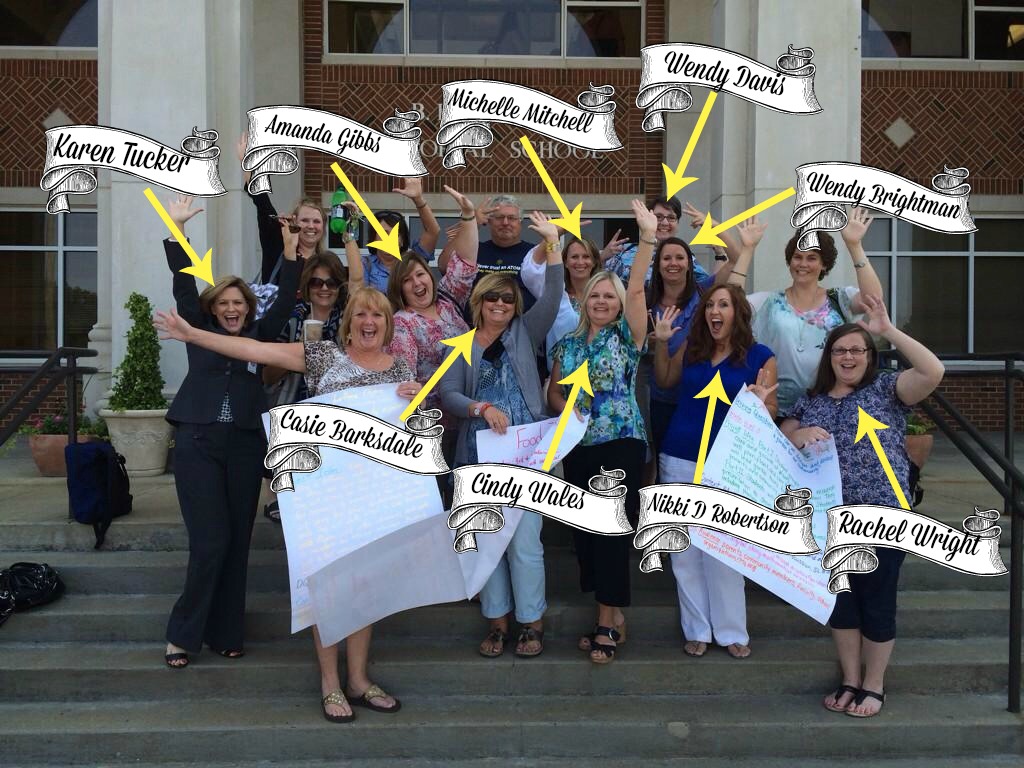
During the Spring and Summer of 2014 an exhaustive search for nine Instructional Technology Facilitators for eight schools resulted in a dedicated, collaborative team:
DPI TEAM 2014.jpg


Wendy Brightman
Rachael Wright
Cindy Wales

Wendy Davis
Amy Jackson
Michelle Mitchell
Casie Barksdale
Nikki D Robertson

Amanda Gibbs


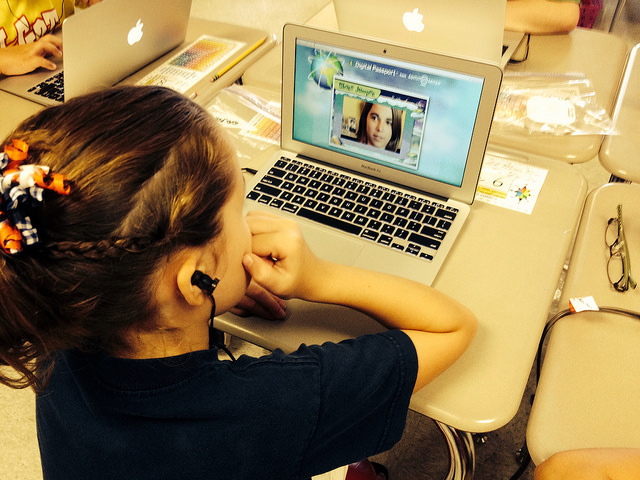
Beginning in August, after a summer of training sessions, the Limestone County Instructional Technology Facilitators began teaching 3rd and 4th grade students digital citizenship using Digital Passport from Common Sense Education using a set of 30 MacBook Air laptops per school.  It was important to the district that students knew how to use the devices provided in a safe, ethical manner before issuing 1:1 devices.  

14743583329_355be94fe9_z.jpg


The Instructional Technology Facilitators also used this time to teach students the basic functions of the MacBook Air as many had only used the PCs located in each school’s computer lab.  In addition to training students, the Instructional Technology Facilitators also worked closely with teachers training them as well and strategizing the best implementation for each school.  Instructional Technology Facilitators also held mandatory parent meetings before, during and after school to inform and train parents about the devices their students would bring home.  


14645498508_ddc7ee972d_z.jpg
14832112875_7ff8db5371_z.jpg
14838518084_925edf0429_z.jpg
14838518924_5020a87e9c_z.jpg


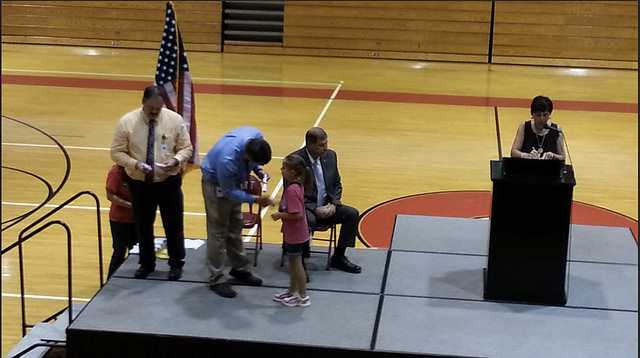
After a month of training the big day finally arrived to distribute the devices to students.  Each school had their own unique way of rolling out the devices, but all included parents, school staff, central office staff, and community members.  Elkmont went with a graduation style roll out.  A stage was set up in the gym and parents, family members, community members and students from 2nd grade and 5th grade were invited to participate.  Dr. Sisk delivered an inspiring keynote after which students were called one by one to the stage.  As students walked across the stage their teacher placed their laptop (in bag) over their head and shoulder.  Students then proceeded to Mr. Garth Garris, Elkmont principal, who presented them with their Digital Citizenship Diploma from Common Sense Education.  Pictures were taken and our PTSO provided refreshments afterwards.  

14961121209_bb7becb805_z.jpg


Since that day the Instructional Technology Facilitators have worked daily with the 3rd and 4th grade teachers to ensure that the devices are being used as a natural and integral part of daily learning, not just as something special to use occasionally.  Each day brings new challenges, new discoveries, and new opportunities.  You can read details of our weekly DPI escapades on our Limestone County School’s DPI Blog.  


This is just the beginning of our journey with our 1:1 Digital Passport Initiative.  Currently, Ms. Tucker has assembled a team consisting of an Instructional Technology Facilitator, Curriculum Coordinator, Instructional Coach, Classroom Teacher, & Principal to look at establishing student and teacher benchmarks for the DPI program as well as correlating DPI with district curriculum goals.  We still have a long way to go and much to learn but feel that, thanks to the vision of our district leaders, we have a solid foundation on which to build.


Sunday, October 26, 2014

This Week @ Elkmont and Beyond! October 20th -24th, 2014


1:1 Success Story

This week my school district received some very positive feedback about our Digital Passport Initiative that put a MacBook Air in the hands of every 3rd and 4th grade student this year.  We are happy that this initiative is already making a positive difference in our students lives.


Digital Passport Initiative: Full Steam Ahead!

The amazing 3rd and 4th grade teachers at Elkmont High School continue to expand the use of technology in their classrooms. Students have added the Limestone County School District's Symbaloo webmix as their home page in both Safari and Google. By using Symbaloo this way students can easily navigate to websites their teachers want them to use without the hassle of typing in a long or confusing URL.

Ms. Katie Walker is using Class DoJo to help encourage good behavior in her classroom. Class DoJo helps teachers instantly reinforce good behavior, communicate with parents, increase student engagement and collaborate with colleagues.

Next week the 4th grade DPI Team will work on a collaborative project using Google Maps to support what they are learning about Ecosystems. Watch our map grow HERE.

The 3rd grade DPI Team will begin using MobyMax next week to assist students in building their reading and math skills. MobyMax is an outstanding online resources that offers a free math, language, and reading curriculum for K-8 teachers. All lessons are aligned with the Common Core Standards and teachers can implement the service with very little work on their end.


Athens Storytelling Festival


3rd and 4th grade students attended the Athens Storytelling Festival this week on Wednesday, October 22nd. Storytellers featured at the 8th annual event included Donald Davis, Carmen Deedy, Kevin Kling, Bil Lipp, John McCutcheon, and Andy Offutt Irwin. Our 3rd grade students were especially excited to hear from Carmen Deedy as they had just read a story written by Ms. Deedy in their Language Arts/Reading class.

Friday, DPI students wrote their own original stories using StoryBird. Storybird lets anyone make visual stories in seconds. StoryBird curates artwork from illustrators and animators around the world that inspire writers of any age to turn those images into original stories of their own.

Here is are a few links to first time very rough drafts:

http://storybird.com/books/emma-the-busy-girl/?token=2jmte7va8t

http://storybird.com/books/ghost-girl-30/?token=8fsdts7hmv

http://storybird.com/books/the-bad-storm-10/?token=tb5t5pyhvk


Students will continue to work on their stories and examine them for grammar, spelling, plot, beginning, middle, end, conflict and resolution, etc.  Stay tuned to see our final stories soon!

Other story writing technologies students could use include:

StoryScape


MakeBeliefComix


ToonDoo

What story writing sites have you used?


Celebrating Accomplishments

Elkmont High School Coach, Barry Pugh, won the amateur storytelling competition at the Athens Storytelling Festival this year.  Congratulations Coach Pugh!


Professional Learning

The week started with TL News Night with special guests from the North Carolina Library Media Association.  The topic of conversation was, The Tale of Three Libraries.  It was great to see the contrast between three libraries all in different parts of the state, different budgets and different levels of technology integration.  It was inspiring to learn how each of these librarians made the most out of what they had to bring the best, student centered learning to their students.

Links shared during the show:


Wednesday night I missed out on two professional learning opportunities but hope to catch up on these soon.  The first was the ISTE Librarian Network Webinar featuring Diana Rendina who discussed makerspaces in your school library. The other learning opportunity I missed was to be part of the inaugural Edchat Interactive.  I love their motto: Replacing Talking Head Webinars With An Awesome Interactive Online PD Experience.  I hope that I will be able to participate next month and learn more about the new webinar format Shindig!

October 22, 8:00 Eastern time (Wednesday)
Being A Relevant Educator
Moderators: Tom Whitby and Steven Anderson
Join Tom and Steven as they will examine how connectedness empowers educators to be better professionals. Taking cues from their book, The Relevant Educator: How Connectedness Empowers Learning, participants will work in small groups to discuss the challenges faced by connected educators and how we all can over come them. You will share tips and techniques to save time, overcome obstacles, and develop new skills.

Saturday, October 25, 2014

#FutureReady Schools: Transforming Teaching and Learning


Untitled_presentation_-_Google_Slides.png

With access to a discarded McGraw-Hill fifth grade textbook, Using Energy, William Kamkwamba, learned how to build a windmill to power electrical appliances in his family's house in Masitala.  Just think what our school children could do with unlimited information with access to not only devices but reliable high speed internet at home and at school.  

Many students and teachers throughout our country lack access to basic internet services and devices at school or at home.  In my school district there are locations where even if residents could afford to pay the staggering cost of internet services, these services simply do not exist.  Future Ready districts not only provide broadband classroom connectivity and wireless access, but work with community partners to leverage local, state, and federal resources to support home Internet access outside of traditional school hours, so that learning can take place anytime anywhere.  

Just think. A student is sitting at home watching , The Walking Dead, might wonder, “What is the decomposition rate of a zombie?”  With access to a device and high speed internet the student can immediately research this question and in the process learn quite a bit about biology without stepping foot into a biology classroom.  Perhaps this quest for knowledge about zombie decomposition sparks an interest that eventually leads to a career in virology and saves the world from a real zombie apocalypse.  #itcouldhappen

zombie-1.jpg


With access to devices and reliable high speed internet the landscape of traditional school has no choice but to adapt and evolve.  Students no longer need to solely rely on teachers and textbooks to dispense information, but will look to their teachers to be guides in understanding how to apply the information gleaned online.  Thus, tech is and will continue to transform teaching, from planning and preparation to what student engagement looks like in a technology rich school.

How does a teacher in a #FutureReady school plan and prepare to teach students who have the lower levels of Bloom’s Taxonomy at their fingertips?  First, ask yourself these questions:

  • Is using valuable instructional time to teach basic facts and rote memorization to then be regurgitated back out on a test a few weeks later the best use of instructional time? Does it really indicate mastery of a skill or good test taking skills?

  • In a #FutureReady classroom do all students need to learn at the same pace?  Have students ever learned at the same pace?  

  • Does a student need to physically occupy space in a desk to ‘attend” classes?  Is the student physically occupying a desk but sleeping through most of class actually “attending” class?

Teachers with a #FutureReady mindset know the answer to these questions in a resounding, No.  It also means a dramatic shift in the school landscape must occur.  Along with a drastic change to the way coursework is delivered and student mastery evaluated also comes more time and opportunities for students to delve into using knowledge gained to create, evaluate and apply what they have learned.   

My top three starter tips for #FutureReady teachers are:

  • Connect, Connect, Connect!

  • Learning Management Systems

  • ePortfolios

Connect, Connect, Connect!  Don’t try making this change alone.  With access to devices and reliable high speed internet EVERY teacher has access to ideas from thousands of brilliant, motivated, energized educators from around the world.  Not only will connecting with educators around the globe provide you with an endless supply of ideas for your classroom, you will also make wonderful friendships that will support you through the growing pains that come with #FutureReady changes.

Don’t forget about students when it comes to getting connected.  Providing students with an authentic audience renders the age old question "why do I have to do this?" mute. Learning suddenly has real world application and student engagement increases accordingly.  

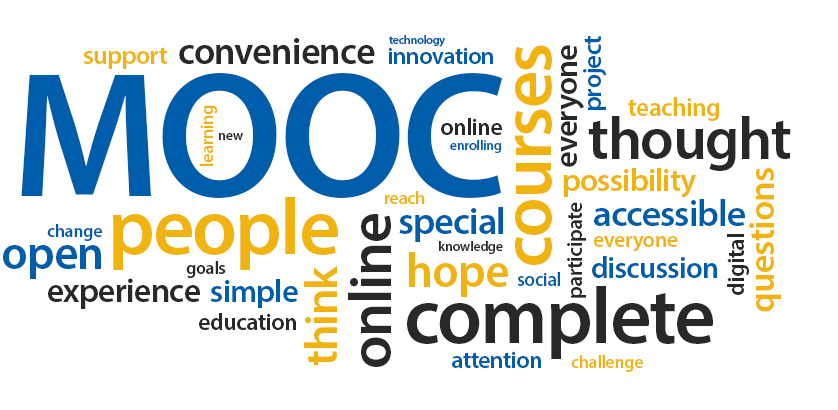
Learning Management Systems.  In a #FutureReady school every student in your class will not begin working on Unit 3 at the same time.  Learning Management Systems allow teachers to easily provide course materials to a full roster of students working within individualized learning paths.  Trey Armistead, a Chemistry teacher at Van Meter School in Iowa, has been using Moodle for years to meet individualized learning goals.  By doing this , Mr. Armistead has empowered his students work through the content at a pace that works best for them.  Some students in his class have been able to show mastery and complete his semester long course in just three short weeks.  These students have then been able to move forward and take more advanced classes either provided by the school or through accessing MOOCs online.

MOOC1.jpg

ePortfolios.  Take a look at this Anatomy & Physiology ePortfolio: https://sites.google.com/a/lajunta.k12.co.us/4acre-s-a-p-eportfolio/home

Do you feel this student has a deeper understanding of the course material than if it had been delivered and assessed in a traditional classroom setting?

As you can see from the example provide above, an ePortfolio goes beyond merely a collection of materials that documents student accomplishments.  ePortfolios give students a voice to present their learning accomplishments as well as developing skills in self-assessment.  ePortfolios make learning a personalized experience where, over time, connections are drawn between various learning experiences and critical thinking is enhanced.  

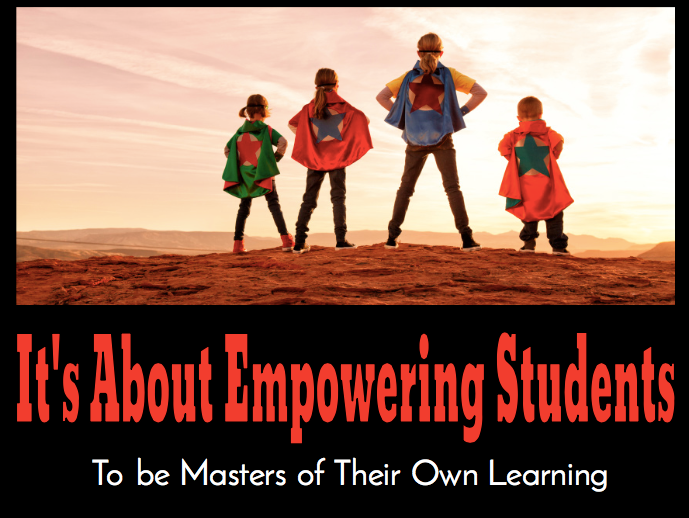
What I love most about ePortfolios is that they empower students to become masters of their own learning. A skill that will serve them well throughout life.

SimpleK12_Library_Presentation_-_Google_Slides.png

And that is really how technology will and is transforming teaching.  Spoon feeding, rote memorization, mindless tasks, endless worksheets replaced by deep thinking, self motivated and self evaluated learning that empowers students to be lifelong learners is the ultimate goal and why your school superintendent needs to take the Future Ready District Pledge.

Wednesday, October 15, 2014

Panning For Technology Gold


Recently I went panning for technology gold in preparation for a conference presentation.  I was specifically looking for device agnostic math and language arts technologies for grades K-12.  I searched all my usual haunts, Twitter, Free Technology for Teachers, Kathy Schrock's Guide To Everything, Cybraryman's Educational Websites, & Common Sense Media.  I found many great resources but a feeling kept gnawing away at me that I was missing something more.  Then late, late, late one night I had one of those face palm moments.


SmackDowns!  Why had it never occurred to me to search EdCamp SmackDown documents?! For those of you who have never had the pleasure of attending an EdCamp event (something you MUST rectify ASAP), the SmackDown portion is my favorite part!  During an EdCamp SmackDown all attendees are invited to share one website, app, lesson, etc with the group in two minutes or less.  SmackDowns typically last for 30-45 minutes, thus, ensuring a plethora of great information to explore after EdCamp ends.  I started by going to the EdCamp Atlanta website because I remembered mathematics was well represented there this year.  I then moved on to trolling other EdCamp events for their SmackDown shares.

Here are my top five finds:

MobyMax-Math & Language Arts for grades K-8

MobyMax is for all students K-8. Moby's adaptive curriculum creates a unique, individualized education plan for each student, allowing gifted students to progress as quickly as they like while simultaneously ensuring that remedial students get the extra instruction they need. You've never experienced differentiation like this in the classroom.

Some parts of MobyMax are free, however, the price for additional features is extremely reasonable and worth the investment.


Newslea- Language Arts & Current Events for grades 3-12

Newsela is an innovative way to build reading comprehension with nonfiction that's always relevant: daily news. One of the best features is the Lexile scale that students or teachers can slide to the needed level for maximum comprehension, a must with differentiated learning.

Newslea has a free & pro version.


ActivelyLearn- Reading Comprehension for grades 3-12

ActivelyLearn allows teachers to discover already added reading materials or add their own reading materials from the web. Teachers can then embed questions, notes, or videos directly into the text. This gets students thinking, writing and collaborating while reading. This allows teachers to measure student effort and see where comprehension breaks down.

ActivelyLearn has a free & pro version.


Get The Math- Math for grades 6-12

Get the Math combines video and web interactivity to help middle and high school students develop algebraic thinking skills for solving real-world problems. Drawing on conventions of popular reality TV shows, video segments begin with profiles of young professionals, who then pose challenges connected to their jobs to two teams of teens. Viewers are encouraged to try the challenges themselves using interactive tools provided on the Get the Math website before returning to the video to see the teams’ solutions. Students can further explore the same, as well as extended, algebraic concepts through additional interactive challenges on the website.

Get The Math helps students understand how math applies to real world situations, not just an upcoming test.

Get the Math is FREE.


Geddit- Classroom Management Tool for grades K-12

Geddit allows you to know exactly what all of your students understand about the lessons at any given point in time.  As your lesson progresses, students can “check-in” at any time on their own device by selecting their comfort levels on a series of ascending bars. The feedback is private and updates in real time on the teacher’s screen. You can send your pre-made questions directly to student devices whenever you are ready for them to answer them, or pause on key objectives to get students to indicate their current comfort levels with the materials. You can also ask questions on the fly if your lesson takes a new direction or you just want to create a quick poll to vote on student ideas.

Geddit is FREE.


BONUS TECHNOLOGY:

The Peanut Gallery- Creative Writing for grades K-12


The Peanut Gallery is a Chrome Experiment that lets you add intertitles to old film clips using your voice, then share those clips with your friends. It uses your computer's microphone and the Web Speech API in Google Chrome to turn speech into text.

Students could write scripts before recording to match the videos with concepts learned in science, social studies, language arts & math lessons.  The possibilities are endless.  


I discovered this when my librarian friend, Shannon Miller shared it on Facebook.  She is brilliant!