Showing posts with label #hourofcode. Show all posts

Saturday, March 9, 2019

Coding is a Basic Literacy Library Centers Deep Dive Part 3/10


Recently, CBS aired a 60 Minutes episode highlighting the gender gap in the tech industry. Hadi Partovi, founder of Code.org, along with top computer science based industry leaders and a majority of developed nations, recognizes coding as a basic literacy that schools should start teaching at the same time that we teach students how to read and write.

Each year schools across the world observe Hour of Code, a one-hour introduction to computer science, designed to demystify "code", to show that anybody can learn the basics, and to broaden participation in the field of computer science.

Teaching coding just one hour per year is tantamount to teaching reading, writing, and mathematics just one hour per year, and simply will not meet the needs of the fastest growing job industry in the United States.

Starting with Kindergarten, the Winkley Library incorporates coding and other computer science skills into library classes. Students rotate through a series of center activities each time they visit the Winkley Library. One center that has been a constant in the Winkley Library is the Coding Center. Coding is introduced to students in grades K-5 through both unplugged and device based activities.

A few of the recent coding/computer science activities students in the Winkley Library have explored include:
Additionally, thanks to a recent generous parent donation, the Winkley Library has been able to add one LEGO WeDo 2.0 kit that combines learning how to code with robotics.

The Winkley Library is committed to supporting literacy, in all its forms, through library classes and collaborations with classroom teachers.


Original post that started it all:
http://www.nikkidrobertson.com/2018/08/new-school-year-new-ideas-new-centers.html
Links no longer work as my former district set up their Google admin rules to permanently delete rather than transfer former employee accounts.

Library Deep Dive Part 1 of 10:
http://www.nikkidrobertson.com/2019/02/the-beginning-library-centers-deep-dive.html

Library Deep Dive Part 2 of 10:
http://www.nikkidrobertson.com/2019/03/demystifying-circulation-desk.html

Library Deep Dive Part 3 of 10:
http://www.nikkidrobertson.com/2019/03/coding-is-basic-literacy-library.html

Library Deep Dive Part 4 of 10:
http://www.nikkidrobertson.com/2019/05/technology-library-centers-deep-dive.html

Library Deep Dive Part 5 of 10:
http://www.nikkidrobertson.com/2019/05/reading-center-library-centers-deep.html

Library Deep Dive Part 6 of 10:
Coming Soon

Library Deep Dive Part 7 of 10:
Coming Soon

Library Deep Dive Part 8 of 10:
Coming Soon

Library Deep Dive Part 9 of 10:
Coming Soon

Library Deep Dive Part 10 of 10:
Coming Soon


Thursday, December 14, 2017

This Holiday Season @Winkley Library


The 1st nine weeks had come to an end and I had just started in on my 2nd nine weeks of Library Center rotation activities when it dawned on me that the quickly approaching holiday season was going to throw all of my plans into utter chaos. Thanksgiving Break, the Scholastic Book Fair, special school wide Holiday Events, Winter Break, and me being out sick (UGH) all took big chunks out of the normal library routine.


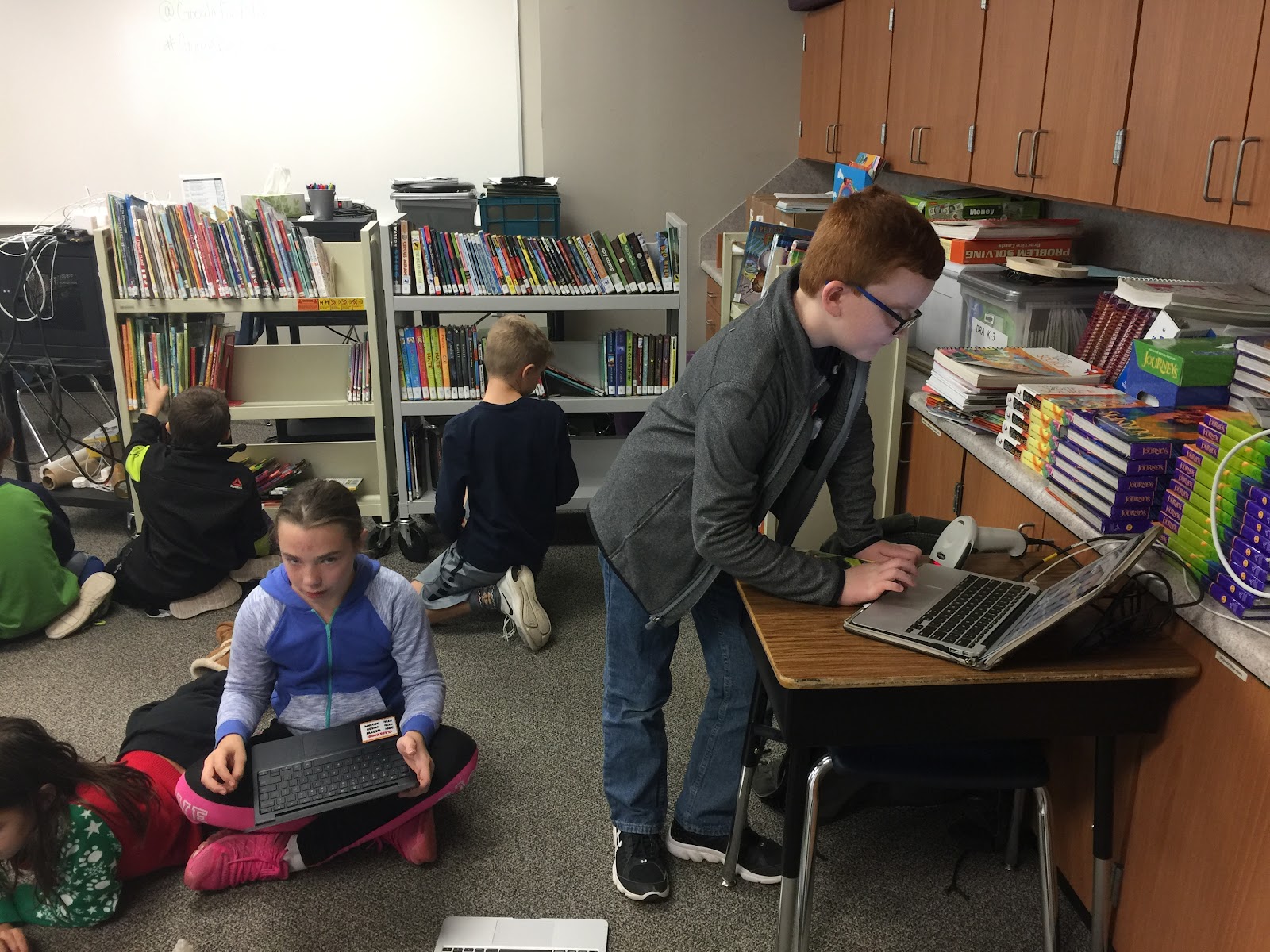
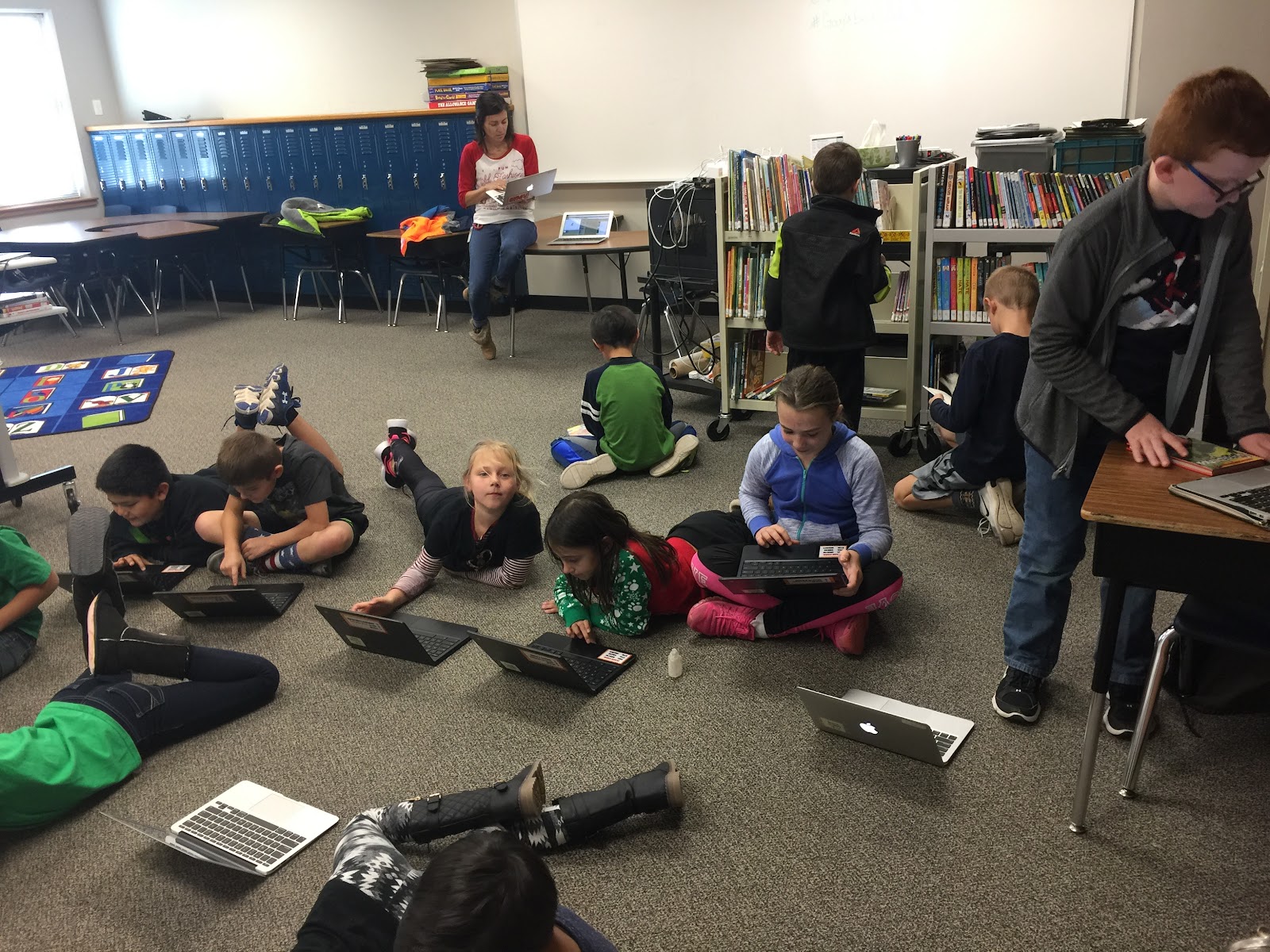
I am extremely lucky that the PTA is in charge of the Book Fair. All I do for the Book Fair is provide our Library as a space in which it can be set up; PTA does the rest. Since the conditions in the library with all the coming and going of Book Fair patrons wasn’t conducive to teaching and learning, I moved the library to an empty classroom upstairs. My wonderful library aide, Sandy Perez, and I worked together to turn the room into a pretty awesome little library space. We pulled a few carts of popular books so students could still check out books, we carried the reading carpet up, and redesigned our library activities to better suit the space and limitations we faced.


Fortunately, these hiccups actually worked out for the best as Hour of Code week fell within this time period and could be accommodated in our smaller space using MacBook and Chromebook laptops.


Kindergarten and 1st Graders learned how to code using Tynker’s Hour of Code Puppy Adventure game. This is the one I found was most compatible with the ability level of my students with regards to understanding coding as well as with use of a trackpad on a laptop. 2nd through 5th graders learned how to create a Holiday Card using Scratch. Scratch is awesome because it passes the “If Ms. Robertson can do it” test! Scratch has great step by step directions that, with a little modeling, can easily be followed by students. I absolutely love seeing the lights go off in students eyes as what they are doing “clicks” and then they take off on a creating rampage! Getting them to come to a stop so the next library class can come in is the hardest thing I have to do.


5th Graders got an extra little treat this week. I wrapped up our Scratch coding lesson about 10-15 minutes early each class and then we “made” a silent movie. Ask your kids what a silent movie is. The responses are so cute! Then actually explain the concept and the confusion on their faces is so precious. “Why didn’t they just record what the actors were saying?” What made it even funnier was that I’ve had laryngitis while teaching this and the kids thought it had something to do with not being able to talk!


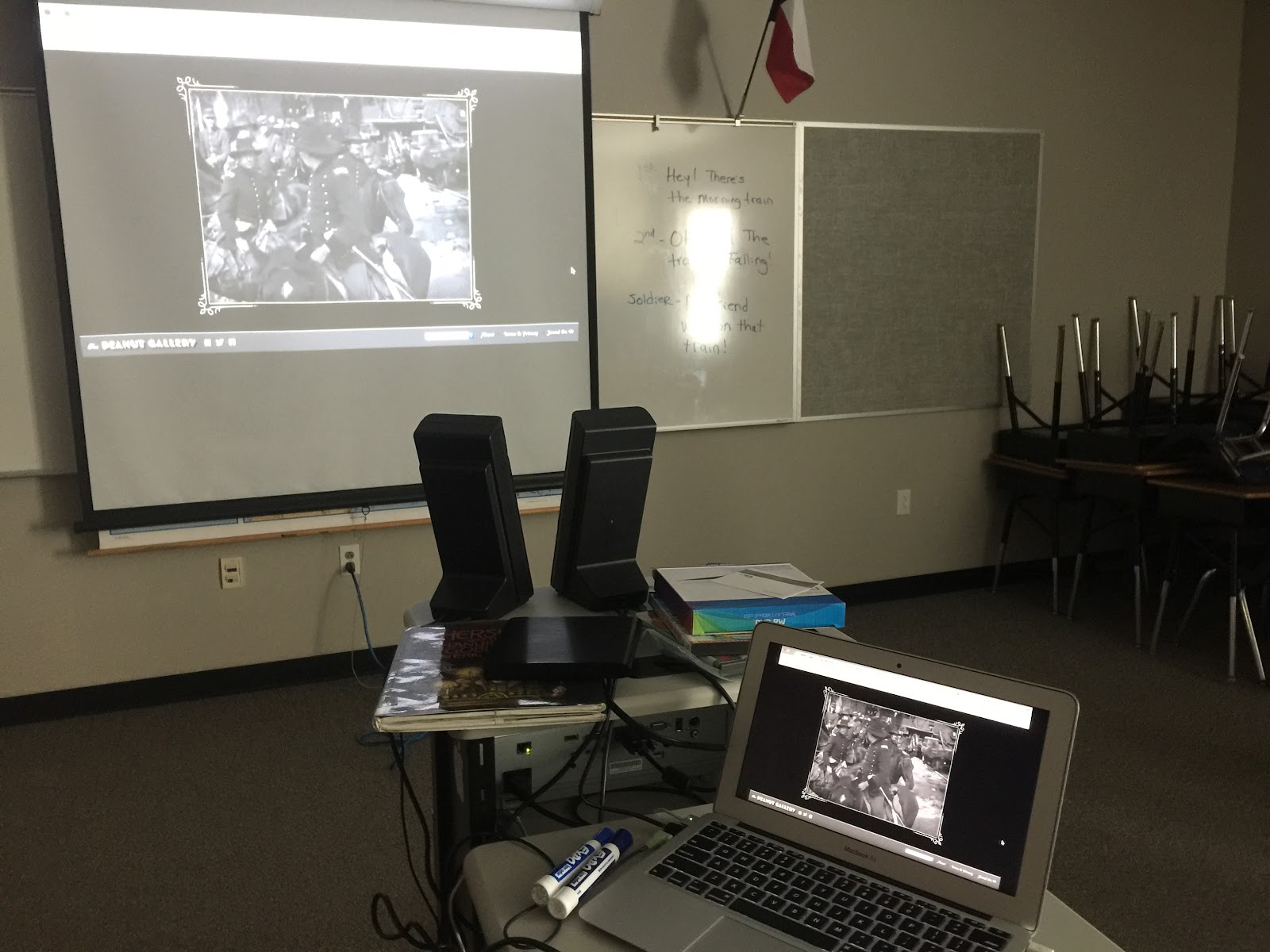
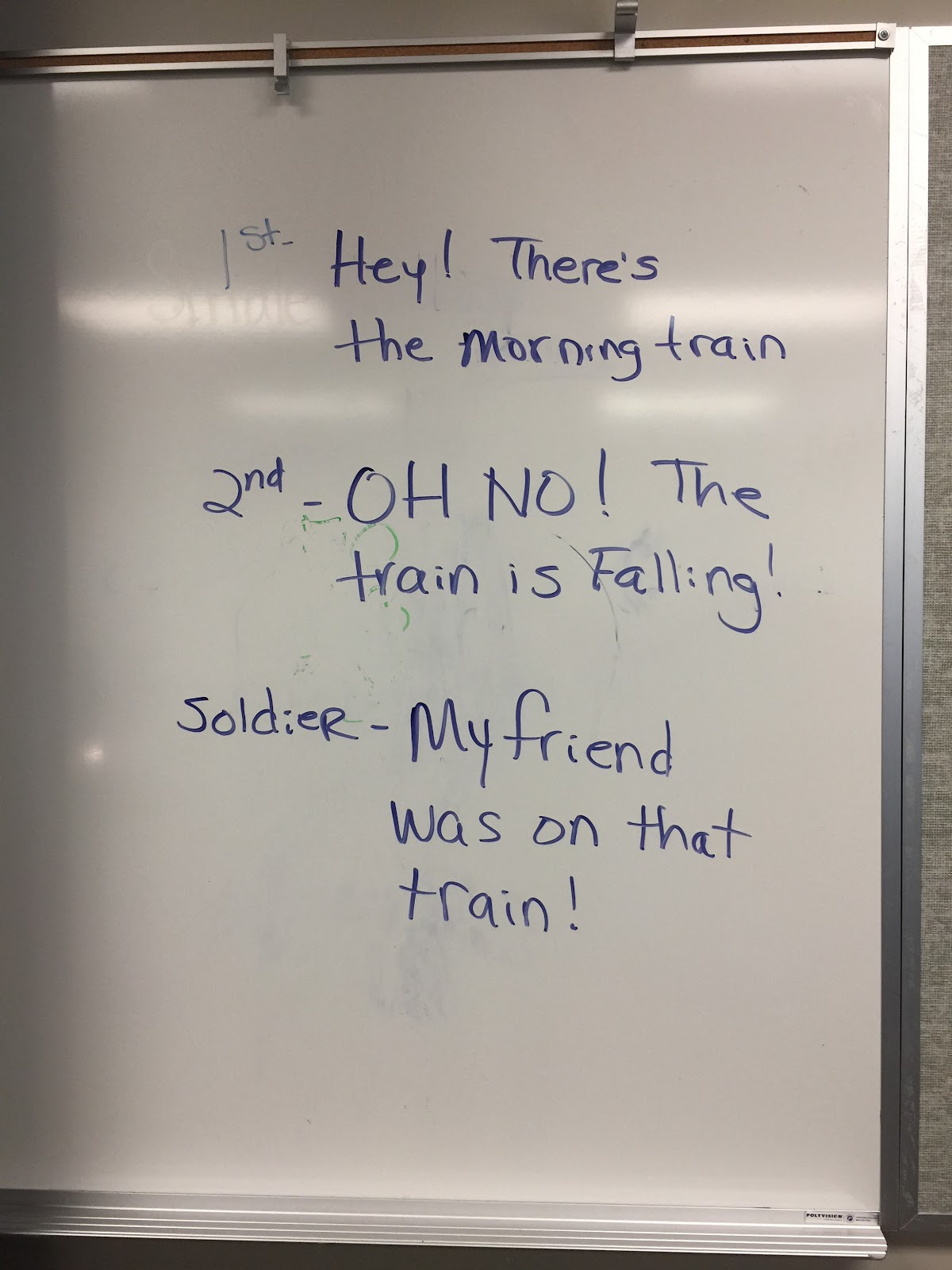
Once explaining what a silent movie was we then made our own silent movie using the Chrome Experiment, Peanut Gallery. We watch a movie clip and then worked together to write a “script” on the dry erase board. Then students were chosen to speak the parts in Peanut Gallery. Then we watched our silent movie! Watch two of the ones we made using the links below:


Ms. Reed’s Class: https://youtu.be/g2D0Ftk5-Jo


Ms. Evrard’s Class: https://youtu.be/l8dhiUEP3Q0


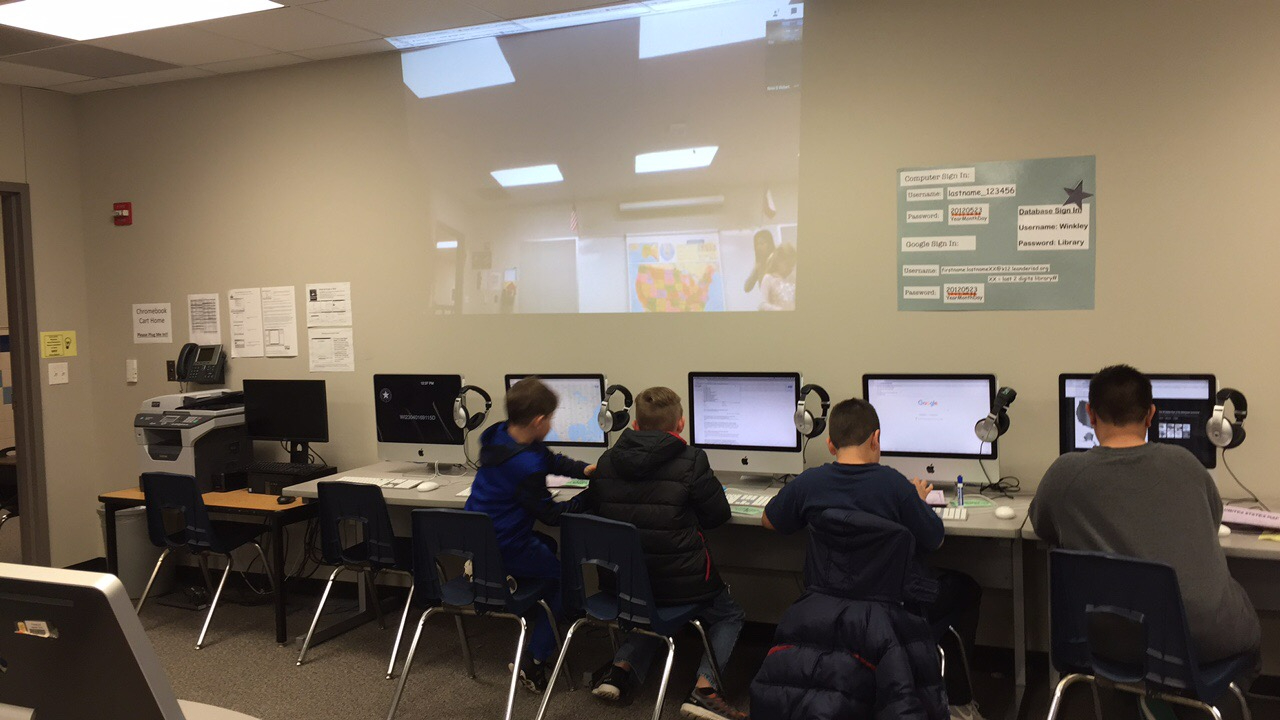
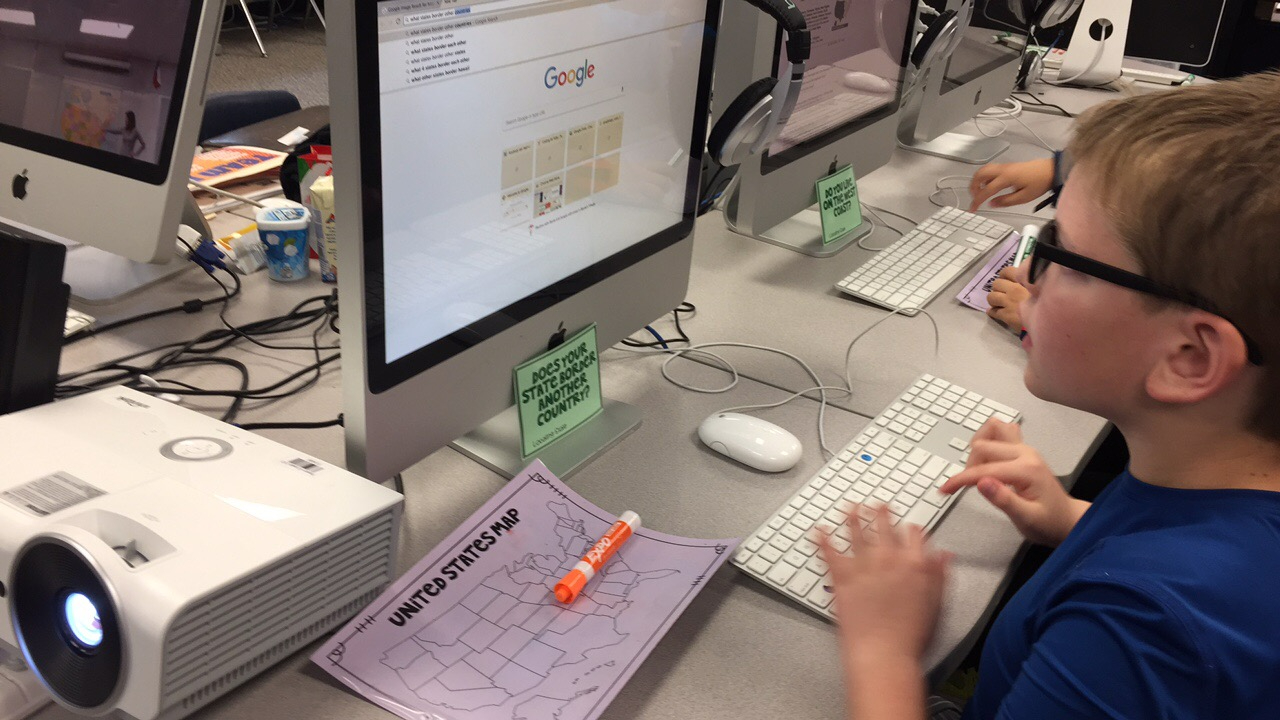
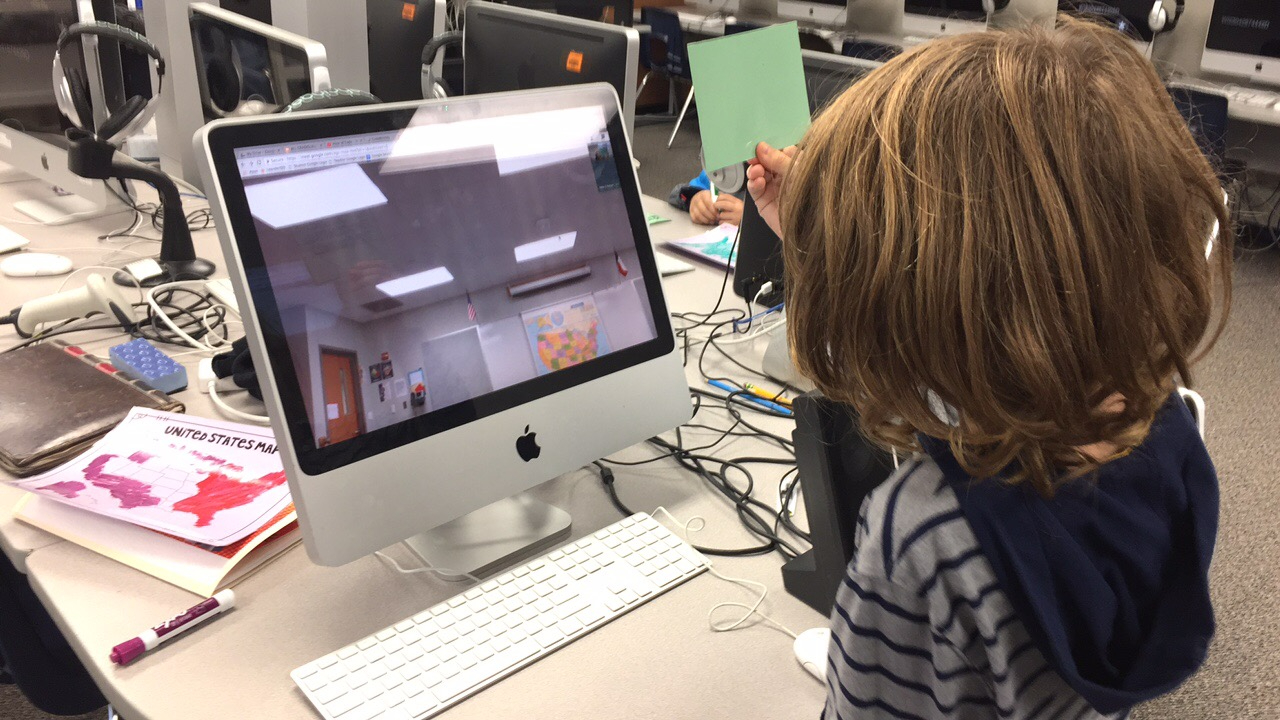
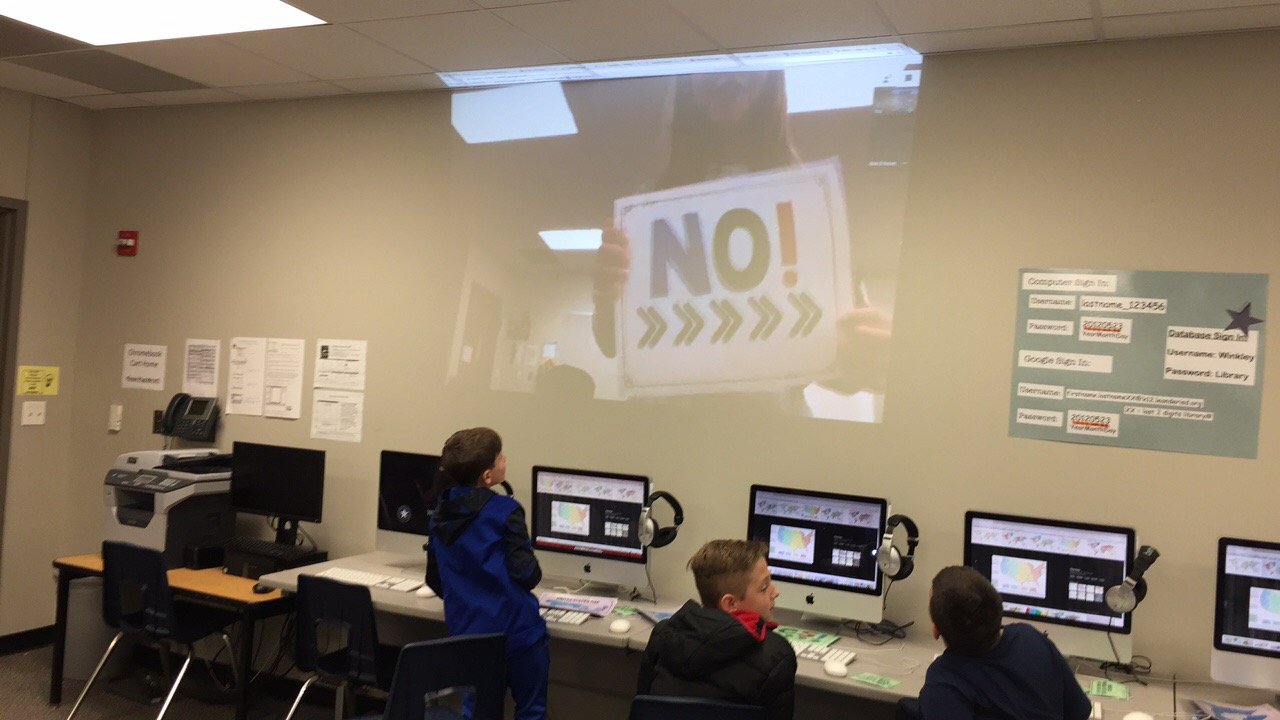
3rd through 5th graders also had the opportunity to participate in a “mock” Mystery Skype. What Sandy Perez, Dorothy Marinski (Instructional Coach), and I did to facilitate this activity is as follows.


We explained the concept of Mystery Skype to students but told them just like in Sports or other competitions we wanted to practice first before competing against a “real” team. Thus, we split the class into two teams. Each team drew a state and city from a box where I had cut out 50 states and cities. In advance, I had also printed and laminated two sets of Mystery Skype “playing cards” that I got from Teachers Pay Teachers. I also printed on cardstock and laminated the US/World Maps provided inthe Teachers Pay Teachers package. Then, with dry erase markers in hand, Sandy and Dorothy took half of the class to a different room and we “Skyped” with each other. I say “Skyped” because we actually used Google Meet instead of Skype because it just worked better in our school setting. Students then proceeded to play Mystery Skype until one team was able to guess the other teams state or until we ran out of library time.


Now that we have played Mystery Skype the kids are super eager to play it for real! I promised the kids I would search over Winter Break for classes who wanted to challenge us to a game!


This activity was a great way to teach so many different skills! Research skills, map skills, deductive reasoning, critical thinking, effective questioning, and so much more!


A few classes these past few weeks even had some time to get silly with some apps! Check out the carnage that happened when BB-8 went crazy and attacked this 5th Grade class! OH MY!


The holidays can be such a stressful time. I love that we found a way to teach our kids lots of important skills while also having a bit of fun!


Monday, December 19, 2016

Hour of Code: It Just Keeps Getting Better and Better!


Four years ago, December 2013, I learned about Hour of Code while laminating posters about the event for our computer science teachers.  At the time I had no idea what Hour of Code was, thinking it was just something for the vocational tech computer science teachers and their students.  The next year, after learning more about Hour of Code and our role as school librarians, I tackled Hour of Code spanning grades PreK through High School.  

Each year I have been impressed with the changes and improvements to the Hour of Code resources and inspired by seeing different approaches to Hour of Code shared by members of my PLN (Professional Learning Network), especially among my fellow school librarians.

This year my school set out for an Hour of Code record by having all 1800+ students participate in an Hour of Code unplugged activity .... AT THE SAME TIME!  We were able to accomplish this feat by using Advisory Time to our advantage.  Kristi Combs (Instructional Partner) and Allison Miller (Assistant Principal) lead a Flight School (our school's version of in school monthly PD) to prepare teachers for the big day.


In addition, teachers signed up to bring their classes to the JCHS Library Harvard Room to participate in more Hour of Code activities.  It was during these times that I stepped out on to that professional ledge of being willing to learn TOGETHER with the students as the impressive array of activities this year rivaled that of years past.

One of my favorite features this year was the ability to filter differently than in past years.  Instead of defaulting to the new block coding activity for the year I went out on a ledge and walked through the filtering process with students so that they could see what we were doing was age and subject appropriate.  Then we tackled these more complex coding activities together, emphasizing the need to collaborate and trouble shoot together.  

For our social studies classes that signed up we used the programming language Python and instruct a turtle to draw flags from around the world.  By far the favorite coding activity was when we coded our very own pixel character! We used HTML to build our characters, CSS to style them, and JavaScript to animate our cute pixel people.

Personally, my favorite activity was with our Special Education Self Contained students.  We created a graph on the floor of the Harvard Room using painter's tape and printed out START, END, TREATS, and MONSTER cards.  Ms. Jefferson was our robot.  DD students had to program Robot Jefferson using BeeBot direction cards to "write the code" that would get her from START to END, collect all the TREATS, and avoid all the MONSTERS.


So what are my tips and tricks for a successful Hour of Code at your school?

First, overcome your fear of not knowing how to code.  I had no idea what CSS and JavaScript were and had failed miserably in college trying to using Python to get the turtle to move!  The best part of Hour of Code is letting the kids work through the thinking process with you! This is actually one of the most valuable lessons we can teach our students on a daily basis, the thought process for working through a new problem and seeing that there are mistakes along the way.

Second, have a backup plan.  The first year I attempted to do Hour of Code was also the year many others got aboard and started doing Hour of Code as well.  This overloaded the Hour of Code website and caused many to be left stranded without access to the websites block coding activities.  This is when having an unplugged activity ready is key.  I'll admit that I was flying by the seat of my pants that first year and had no unplugged activity planned.  Sitting in a classroom filled with sixth graders when I realized the online activity planned was not going to work, I asked the kids for a dance they knew.  They had just learned Cotton Eyed Joe in PE so we decided to write out code a robot could follow to successfully complete the dance.  Several students volunteered to be our robots so we could catch the "bugs" in our code and correct them.  In the end, our robots were having an awesome time dancing!  We did a similar thing with PreK but used the Hokey Pokey as our dance.

Third, share your experience with others.  Sharing our experiences through social media, blogs, etc help us all learn and grow together through our collective experiences, PLUS it gives us an opportunity to celebrate the amazing learning going on in our schools and libraries.  Sharing isn't bragging; it's giving.

To see more from our Hour of Code 2016 click HERE to access our Google Photos Album.

I am also thrilled beyond belief to be headlining with the founder of Hour of Code, Hadi Partovi, at the Texas Library Association's Tech Camp in April 2017!


Tuesday, November 29, 2016

JCHS Poised to Set Hour of Code Record!


Cdn4.dogonews.com. N. p., 2016. Web. 29 Nov. 2016.


On Wednesday, December 7, 2016, James Clemens High School is poised to set an Hour of Code record with its planned school-wide Hour of Code “unplugged” event to expose over 1800 students, teachers, and administrators to computer science. This event is part of a week long series of Hour of Code events showcasing why computer science matters in the lives of our students.

Hour of Code activities start November 29, 2016 with a special Pilot's Lounge to train advisory teachers how to present the "unplugged" Hour of Code lesson to their students.


In addition to the school wide "unplugged" Hour of Code event, other activities will take place throughout the week of December 5-9, 2016, including whole class coding activities customized to subject area content and an extra special teacher Reindeer Games celebration that will include Hour of Code and MakerSpace activities.

Computers are everywhere, but fewer schools teach computer science than 10 years ago. Girls and students of color are severely underrepresented. The good news is James Clemens High School is changing this for the better.

There are over 500,000 computing jobs open nationwide. Only 42,969 computer science students graduated into the workforce in the U.S.  The Hour of Code is gateway toward providing all students with access to high-quality computer science education.

Over 100 million students worldwide have already tried an Hour of Code in the past three years. Thanks to the Hour of Code, computer science can be found on the homepages of Google, MSN, Yahoo! and Disney. President Obama, Shakira and Ashton Kutcher have joined with over 100 partners to all kicked off the Hour of Code with videos to support this movement.

“We need to encourage and embrace our students’ interest in computer science,” said school librarian, Nikki D Robertson. “Every student deserves the chance to learn computer science to access the best careers of the 21st century.”

For more information about how James Clemens High School will participate in Hour of Code events this school year, visit snap.vu/s1eq or contact Nikki D Robertson.

Saturday, December 12, 2015

Hour of Code Achieved!


The JCHS #HourOfCode Marathon was an incredible success this week thanks to the over 800 students and their teachers who participated in this global event.


I had prepared several backup plans in anticipation of the Hour of Code site being overloaded as experienced last year but was pleasantly surprised that there was only one day that required the use of a backup plan.


Once students had been introduced to what Hour of Code was and had begun working toward their certificate, Pandora Top Hits station was turned on. Ms. Gilliam’s 3rd Block class was delightfully entertaining to watch as the class would unanimously belt out popular song lyrics as they coded.


As students completed the Hour of Code and earned their certification they were encouraged to challenge themselves with other coding activities found on the JCHS #HourOfCode Symbaloo.  The most popular of these alternate activities was Code Combat, Flappy Bird, Made with Code and Scratch.


Highlights from the week included teachers getting into the excitement and earning their Hour of Code certificate and their students telling them, “Yay! Great job!”  Ms. Patricia Williams telling me how “mad” she was that I was doing this activity the week before final exams. She then told me she was wrong to be mad as Hour of Code strengthens all the skills students need every day and especially test taking skills: critical thinking, self evaluation Arion and revision, use of prior knowledge, attention to detail and so much more.


Several students earned their Hour of Code certificates in multiple scenarios, including Baylee who earned FIVE Hour of Code certifications. My favorite highlight however was when a student asked, “Can we do Hour of Code at home?”


It's not too late to try Hour of Code at your school or at home! Coding is now considered to be a basic literacy just like reading, writing and basic mathematics. Going through life in the near future without a basic understanding of coding will feel similar to going through life not knowing how to read.

Get your code on!

Monday, December 7, 2015

Day One: JCHS #HourOfCode Marathon


This week kicked off the momentous world wide Hour of Code! At James Clemens High School we have pledged to do an Hour of Code Marathon with classes doing Hour of Code all week long every block of the day.

Ms. Mendez got JCHS started when she brought her 1st block students to the Harvard Room.  We began the session by talking about Hour of Code and why knowing the basics of coding is important. We watched the introductory video (below) and then started the Star Wars Block Coding challenge together.  


Once students had a grasp of how to proceed through the Star Wars Block Coding Challenge students took off on their own to earn their certificate of completion.


Once students had earned their Hour of Code Certificate they were encouraged to explore other coding activities found on the JCHS #HourOfCode Symbaloo. (see below)


It was exciting to see the day get started and go so well.  Ms. Mendez brought not only her 1st Block class, but her 2nd and 4th Block students too.  Ms. Courtney brought her 3rd Block students and Ms. Laura Smith brought her 2nd Block students.

The only hitch in the day came during 3rd Block with Ms. Courtney's students.  The code.org site apparently had a large amount of traffic at that time and we had to go to Plan B.  Plan B took students to the Code Combat site where they learned how to code in Python or JavaScript while inside of a video game.  This seems to be a favorite alternative!  Made with Code is another site that is usually accessible and has a variety of fun coding activities.

The day was busy but fun and I am sure that many students who had never heard of coding before left feeling confident in their abilities to code!

Follow our Hour of Code adventure all week long via SnapChat and on our Instagram album.


Tuesday, December 1, 2015

JCHS #HourOfCode Marathon Challenge


The third annual Hour of Code is rounding the corner next week to the delight of students and teachers around the world.  James Clemens High School is joining in this monumental collaborative event with an #HourOfCode Marathon.

Classes at James Clemens High School have signed up to use both the Harvard Room and the Library to simultaneously throughout the week of Hour of Code so that students can participate.  Teachers are also encouraged to use our laptop carts, Chromebook carts and iPads carts as well as student's personal devices to participate in Hour of Code from their classrooms.

If this is your first year to dip your toes into the wonders of Hour of Code I hope that the resources and tips below will help your adventure run smoothly.

First, Hour of Code is a GLOBAL event reaching tens of millions of students in 180+ countries.... all at the SAME TIME!  This means that even if you have done everything to set your students up on the Hour of Code website to participate, the site itself during the Hour of Code week may run extremely slow or not work at all.  Have a BACKUP PLAN!


To help with this mass flooding of the Hour of Code site I have set up a Symbaloo with alternative sites and activities that can be used in lieu of the "official" Hour of Code activities.


The first row of links come directly form the Hour of Code website and include some of the online coding activities students can access.

The second row takes students to the Tynker website and the variety of coding activities available there.

The third row consists of coding sites that teach coding using JavaScript.  

The fourth row contains links to unplugged coding activities.  Have a few of these activities ready to go just in case the Internet gets bogged down from so many people participating in Hour of Code.

The fifth and sixth rows contain "other" coding sites that your students might enjoy.

My Plan:

I like that when students access and compete the "official" Hour of Code activities the receive a nice certificate.  However, I don't feel that these activities appeal to all students.  Therefore I have a multi tiered plan for the JCHS #HourOfCode Marathon.

Students will begin with learning about what Hour of Code is and why James Clemens High School feels this event is an important event to participate in.  We will review the site with an emphasis placed on the map that shows where Hour of Code events are taking place.  

We will watch the video below and then answer student questions about Hour of Code before beginning our coding activities.

After watching the video we will attempt to access the Hour of Code Star Wars coding activity (blocks) as a group and I will model the first few stages of the lesson with student guidance.


Students will begin independent coding activities by taking a brief Google Form survey to see what their level of coding ability is.  Based on their answers students will be directed toward a variety of coding sites that suit their individual coding levels.  Students will be directed to be aware that some sites may be sluggish or not available and to simply move to a different site among their choices if needed.

Some my favorite coding sites I will have recommended for my high school students to access include:
  • Code Combat- This site allows students to choose from six different coding/programming languages.  Students learn how to code with the programming language while inside a video game.  They must code correctly to get their character to move, fight, jump, etc inside the video game.
  • Scratch- This site used block coding and has really good step by step directions that middle/high schoolers should be able to follow with a little help from friends or the teacher.  My 3rd & 4th graders last year created interactive virtual holiday cards and emailed them to their parents during Hour of Code 2014.  (Be sure to have parents send their current emails ahead of time)  
  • Made With Code- This is a year round favorite!  I look forward to coding the National Christmas Tree but there are some many other fun activities at different levels of coding ability available on this site.  
    • Yeti lets you program a monster to dance.  The kids get a kick out of this!
    • Accessorize lets you have coding fun with selfies! 


  • Hot Wheels via Tynker lets your car enthusiasts build courses or hack a race track! 
  • Code Monkey is good for the little ones.  I did Code Monkey with 1st graders.  I started by modeling and thinking out loud as they helped me write the code to move the monkey to the banana.  Once I felt they understood the concept I challenged them complete a level all on their own.  You could almost see the wheels swimming in their heads!

My Unplugged plan is to code a dance.  I love this because it brings music and dancing into our Hour of Code week which the kids love.  I had PreK and Kindergarten students as well as 6th graders pretend I was a robot and they had to write code to program me to do a dance.  I did the Hokey Pokey with the little ones and the Cotton Eyed Joe with older students but any song and dance will work.


Hour of Code has a good variety of Unplugged activities you can choose from is dancing isn't your thing! Just scroll down the page and look for "No device or Internet?"


Donna Macdonald, Librarian at Orchard Elementary School in Vermont, wrote a great article for the School Library Journal last year about how she organized her school's Hour of Code, including some pretty cool unplugged activities! Her school even received a check for $10,000 from Hour of Code just for participating! 


What are YOUR plans for Hour of Code?  

What activities, websites, or apps do you recommend? 

Share on the Padlet below:


Saturday, December 13, 2014

This Week @Elkmont & Beyond: December 7-13, 2014


Hour Of Code: Look What We Made! 

This week students from Pre-K to 12th graders at Elkmont High School joined a global movement reaching tens of millions of students in 180+ countries: Hour of Code! 
Hour of Code is designed to highlight the importance of computer literacy in today’s students. Computer science and computer programming is an essential 21st century literacy and should be a part of the core curriculum in education, alongside other science, technology, engineering, and mathematics (STEM) courses, such as biology, physics, chemistry and algebra.

Students of all ages participated in a variety of coding activities. Some of our coding creations can be viewed on our Virtual Hallway: http://limestonedpi.weebly.com/special-hour-of-code.html

If you would like to explore the world of coding be sure to visit our Hour of Code Symbaloo page for links to lots of exciting coding opportunities: http://lcsk12.symbaloo.com/home/mix/AAAAARZB-hQAA41-4VpM7w==

Read this article from Time for more about why learning to code is an important skill: http://www.timeforkids.com/news/computer-science-education-week/199721


EdChat Interactive ShinDig! 


This week I participated in my second EdChat Interactive PD Session via ShinDig and invited my fellow Instructional Technology Facilitators to the fun.

What is a ShinDig? 
Shindig is a NYC start-up committed to unleashing the unrealized potential of video chat. Shindig's proprietary technology enables you to give an online reading, talk, or interview in front of an online group of 50 to 1000. In Shindig, you can share the stage with fans and take questions from audience members. Additionally Shindig adds a unique social dimension to events by allowing fans themselves to also interact with one another in private video chats.

What is EdChat Interactive? 
Edchat Interactive started with Steven Anderson, Tom Whitby, and Mitch Weisburgh. 
The three of us saw an opportunity to conduct PD more in tune with the way we learn, and to use technology to bring the skills and knowledge of education thought leaders to hundreds of thousand of educators. 
People don't learn just by watching. We need to interact, reflect, and participate. That's our model, in 45 minute segments that fit into the busy lives of educators.


This week the topic of the EdChat Interactive PD Session via ShinDig was Student Voice, Aspirations, and Santa Claus, moderated by Dr. Russell Quaglia and Dr. Michael J. Corso.

I concur with Dr. Quaglia's three factors that make up the Achievement Gap:
  • Relationship Gap
  • Participation Gap
  • Expectation Gap
Although the video below is directed to Ohio educators I feel the message applies to all educators.


Thought For The Week


Weekly #iCONNECT Tech Tips Newsletter for Elkmont High School


Monday, December 8, 2014

Hour Of Code: Day One A Success Despite Glitches


Today, Monday, December 8, 2014, kicked off the world wide event known as Hour Of Code.  Elkmont High School has a full calendar of classes participating in Hour Of Code this week and I guess we were not the only people jumping in head first today because the Hour Of Code website wasn't working for many of us throughout Limestone County Schools.

Luckily, being educators, this was no problem and we forged ahead with "unplugged" coding.  The first class to test out the coding waters at Elkmont today was Ms. Atina English's 3rd grade class.  Ms. English's students are amazing in about a million different ways and were very sweet as we worked through the morning glitches.

We started the day with an "unplugged" coding activity.  A student was chosen to be our "robot".  Using a blank Google Document, the class wrote code for our "robot" to follow.  Our "robot" was coded to go to the TV int he back of the room.  Once we had written the code on our Google Document one student commented, "We had to write all of that just to get our robot to the TV?!"  YES! Lots & lots of coding goes into building the games we all love to play.

The next "unplugged" coding activity required a few volunteer robots.  This time I started typing the code on the Google Document.  See if you can figure out what I was coding our robots to do: (disclaimer: I don't know nothin' about writin' no code!)

self.moveRightFootForward()
self.moveRightFootBack()
self.moveRightFootForward()
self.shakeRightFootAllAbout()
self.moveRightFootBack()

Have you guessed yet??  Right! It's the Hokey Pokey!

Below are Ms. Tamara Holt's 6th graders being coded to do the Hokey Pokey.


Later in the day I had our 6th graders code The Cotton Eyed Joe dance (Their PE teacher would be proud!)


After our "unplugged" coding activities we opened up our MacBooks and explored Made w/Code by Google since the code.org website was still glitchy or not working at all.  We coded the White House Christmas Tree, coded our faces, coded snowflakes and so much more! One of the favorite coding activities of the day was playing CodeCombat! 

When I pointed out to students that they were doing math when they were coding the response was, "WHAT? HOW?!"  That's when I pointed out the various coding activities were had done that used variables as well as x & y axis points.

President Obama even got into Hour Of Code today with the Frozen Coding adventure!


President Obama also had a message for students to motivate student worldwide to try Hour Of Code.


I will visit all the 3rd & 4th grade classes twice during the week of Hour Of Code.  During my 2nd visit with classes we will code (fingers crossed) a holiday greeting card using Scratch!

Watch our tweets all week long by following the hashtag #HourOfCode!

See more of what we did in our Flickr show below:

Saturday, December 6, 2014

Unplugged Hour of Code with The Hokey Pokey


While planning for Hour of Code week (December 8-12, 2014) I was looking for ways to teach coding to Pre-K through 1st grade students without using technology.  At #EdCampSandMtn I attended Faith Plunkett's session on coding.  Faith demonstrated how she has younger students code each other to move through a maze, grid, etc. This week, in the middle of the night, it occurred to me that line dancing is a type of coding similar to what Faith had her young students do!  

Next week is Hour of Code.  For our Pre-K-1st grade students who do not have access to iPads or other devices I thought we would code ourselves to do the Hokey Pokey!  I thought I would start the lesson by briefly explaining what coding is as it relates to robots, do a couple of simple coding activities like Faith demonstrated where students assume the role of a robot and the other students "code" the robot, and then move into coding students to do the Hokey Pokey but not tell them what I am coding them to do.  The first student to figure out what I am coding them to do will win a prize. We will then build the rest of the code  together from the point where the student won the prize. In the end we will turn on the Hokey Pokey video above and dance our Hour of Code as robots!

Code.org has lots of great lesson plan ideas for unplugged and plugged activities.  Be sure to visit them today! 


Disclaimer: I know almost nothing about coding.  I am following the example from CodeCombat using Python programming language (whatever that is) and am sure someone who knows code will cringe at my mistakes, but hey, at least I’m willing to try!


self.moveRightFootForward()
self.moveRightFootBack()
self.moveRightFootForward()
self.shakeRightFoot()
self.moveRightFootBack()
self.moveTurnAround()
self.clap()
self.say”That’sWhatIt’sAllAbout”()

self.moveLeftFootForward()
self.moveLeftFootBack()
self.moveLeftFootForward()
self.shakeLeftFoot()
self.moveLeftFootBack()
self.moveTurnAround()
self.clap()
self.say”That’sWhatIt’sAllAbout”()

self.moveRightHandForward()
self.moveRightHandBack()
self.moveRightHandForward()
self.shakeRightHand()
self.moveRightHandBack()
self.moveTurnAround()
self.clap()
self.say”That’sWhatIt’sAllAbout”()

self.moveLeftHandForward()
self.moveLeftHandBack()
self.moveLeftHandForward()
self.shakeLeftHand()
self.moveLeftHandBack()
self.moveTurnAround()
self.clap()
self.say”That’sWhatIt’sAllAbout”()

self.moveForward()
self.moveBack()
self.moveForward()
self.shake()
self.moveBack()
self.moveTurnAround()
self.clap()
self.say”That’sWhatIt’sAllAbout”()